미드저니 파라미터
1. --chaos / --weird
생성형 AI에서는 의도(내가 의도한 바)와 우연(미드저니가 우연히 생성)의 균형이 중요
이 두 파라미터는 의도에서 벗어난 이미지가 필요할 때 유용
[--chaos]
- 무작위성 조절. 높을수록 구도 등에서 다양성 발휘. 주제와 벗어나기도
- 기본값 0, 범위는 0~100
- 사용법: --chaos 20 / --c 20
[--weird]
- 기괴하고 일반적이지 않음. 정형을 벗어나 창의성 추가. 엉뚱하고 비논리적이게 됨. 미드저니 스타일에서 좀 벗어남.
- 기본값 0, 범위는 0~3000
- 사용법: --weird 20 / --w 20
[사용 예시]
| --chaos | --weird | |
| 특수 목적 아트워크 | 추상 이미지 실험(새로운 형태와 패턴) | 초현실주의, 아방가르드, 커버 아트 등 |
| 컨셉 브레인스토밍 | 컨셉 시각화, 레퍼런스 생성 | 추상적, 비현실적 세계관 구축 |
| 아이디어 발화 | 감정, 철학적 키워드에 유용 | 상식 밖의 발상 전환 |
| 영화/게임/전시 기획 | 비주얼 스토리 텔링, 상상력 자극 | 비정형 구조물, 외계, 독특한 무드 |
[실습]
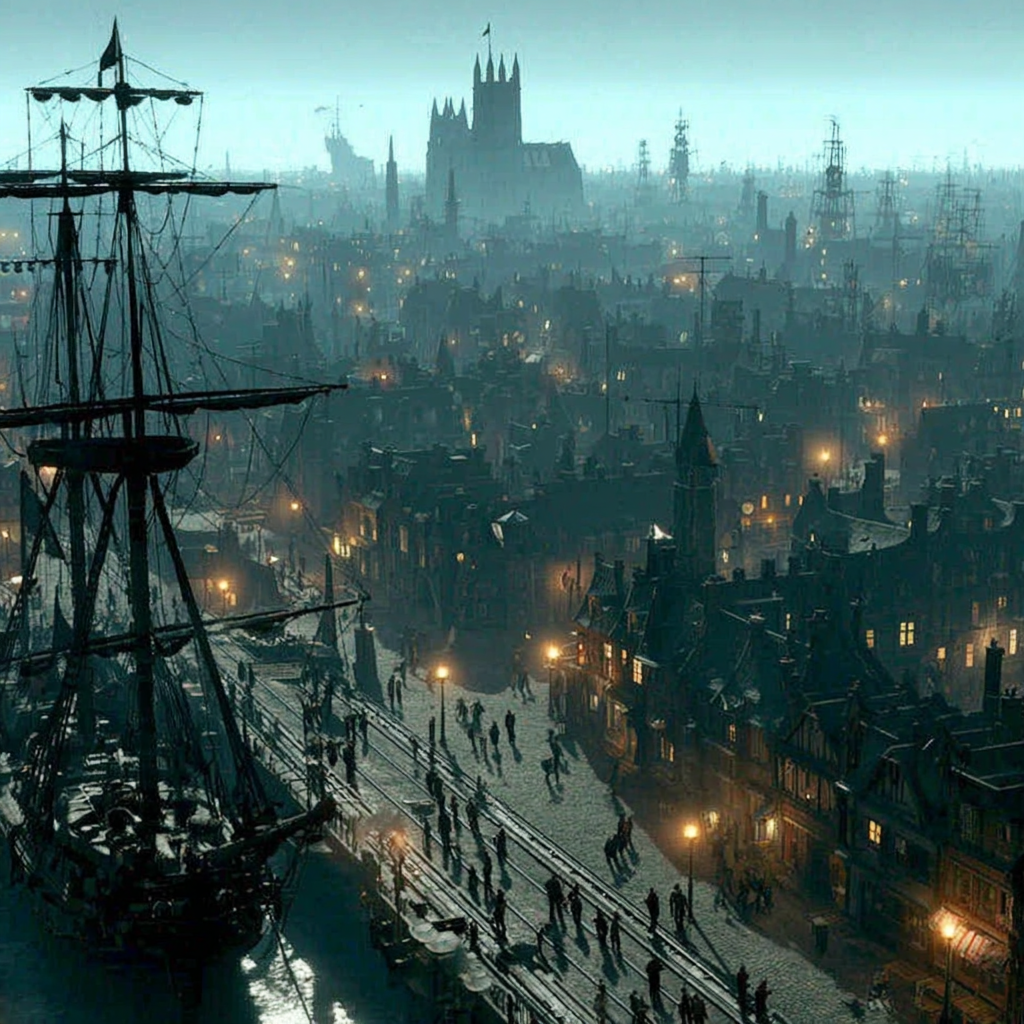
프롬프트: futuristic underwater city
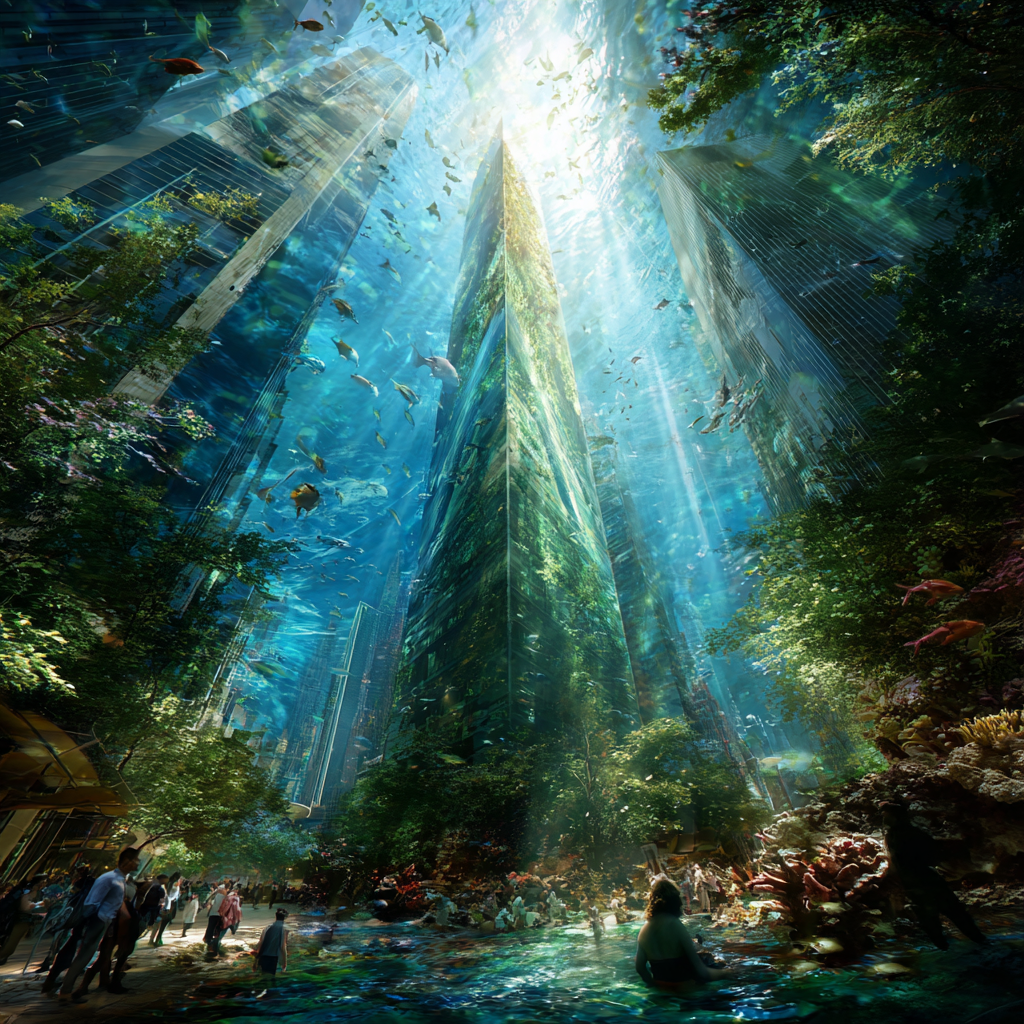
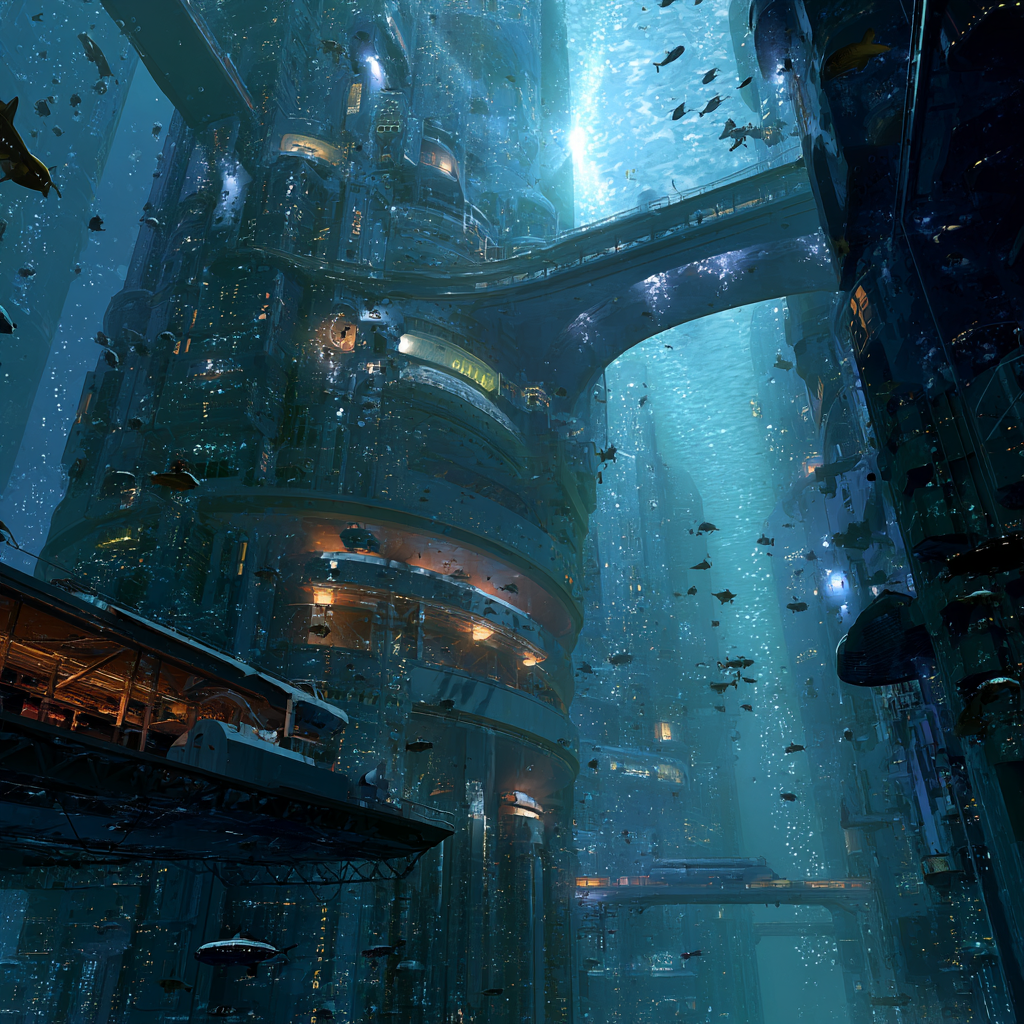



- 0과 30은 수중도시 같은데 75부터는 수중도시가 아니게 됐다... 이게,, 수중 도시..?
- 100의 결과는 다 흥미로워서 여러 장 가져왔다. 일단 모두 수중 도시는 아니다. 첫 번째는 진짜 대충한 포토샵 합성 같다. 두 번째는 해적선이 지배하는 마을이 되었다. 흥미롭긴 하다. 세 번째는 뭔가 미니어처 도시 느낌이다. 물이 있긴 한데 버섯 균류 마을 같다.
- 진짜 내가 예상치 못하는 결과를 얻기에 좋을 것 같다.
__
프롬프트: a cat skateboarding in the city

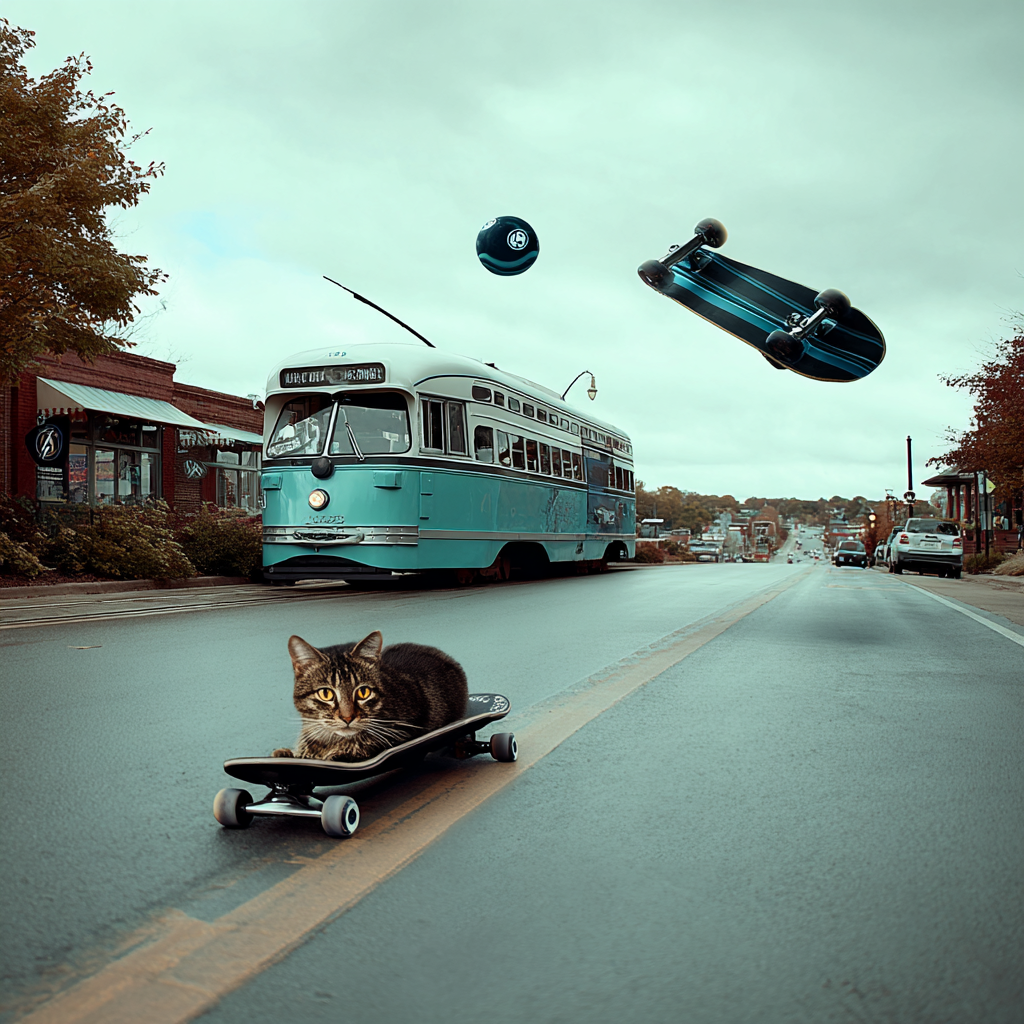

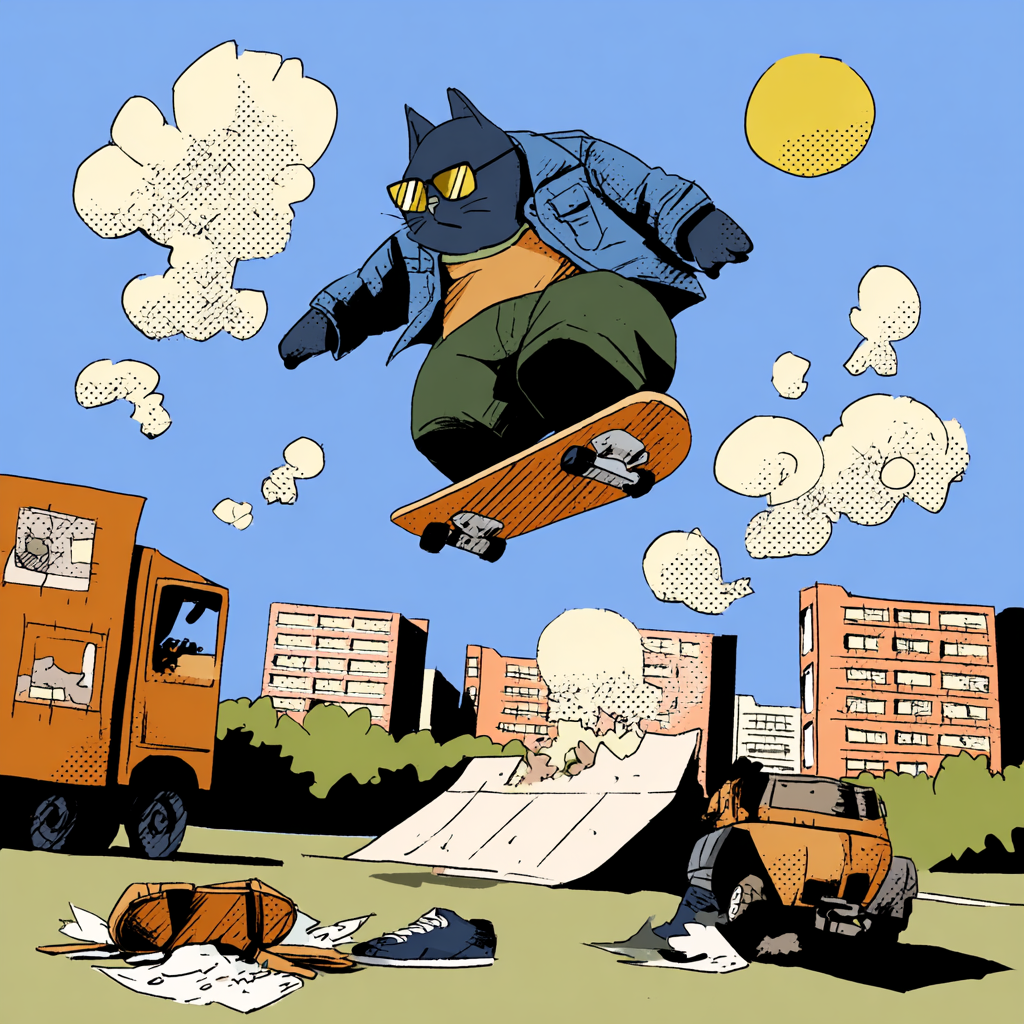
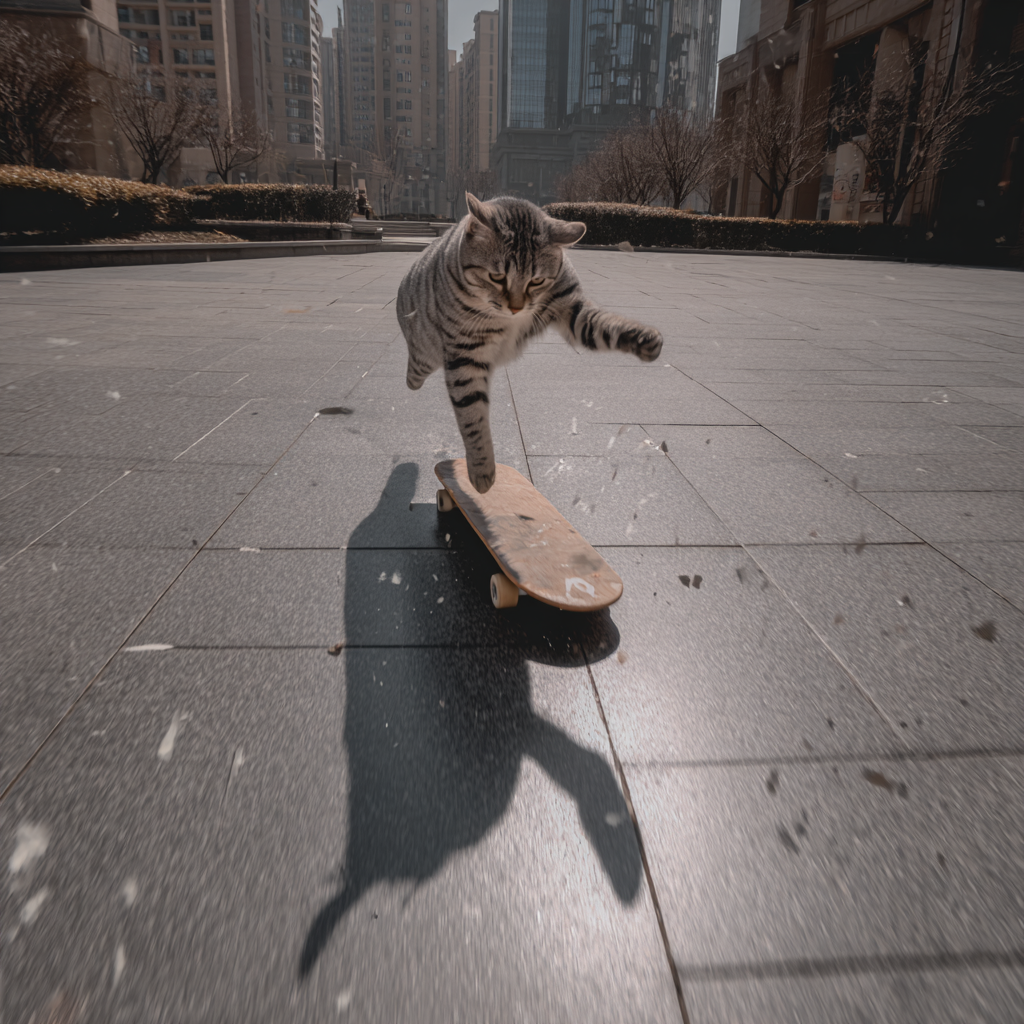
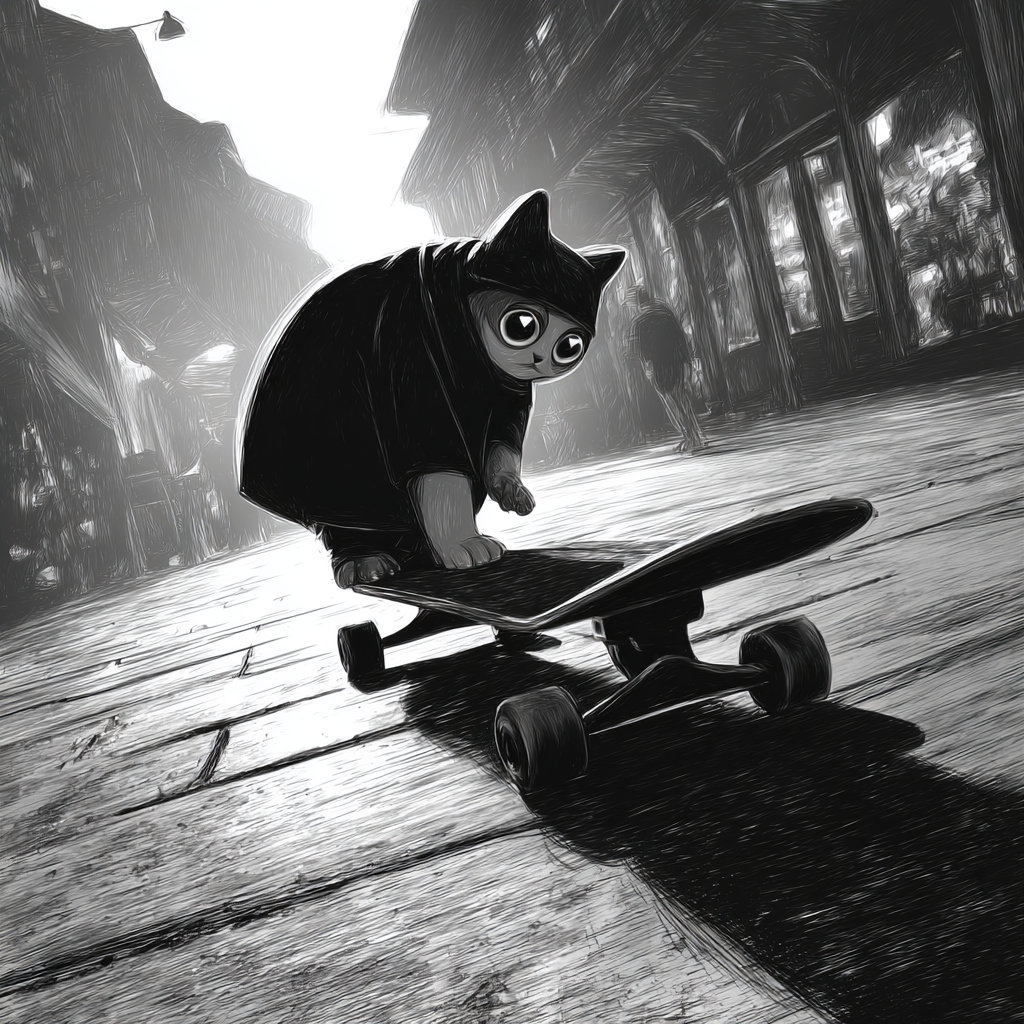
- 0은 귀여운 고양이! 아주 정상적이다. 1000부터는 뒤에 공이랑 보드가 날라다니기 시작하더니 2000에서는 고양이가 슈퍼스케이보드냥이가 되었다. 그래도 귀엽긴 하다.
- 3000은 chaos 만큼 주제에서 벗어나진 않아도 뭔가 희한한 분위기를 풍긴다. 특히 세 번째 일러스트는 좀 기괴하다...
2. --style raw
- 스타일 제거. 미드저니의 미감을 버리고 사용자의 프롬프트를 여실히 반영함
- v 5.1 이상부터 지원
- 사용법: --v 6.0 --style raw / --raw (7이외의 버전을 쓰고 싶을 땐 사용 버전을 표기해 주면 좋음)
[실습]
인물 프롬프트: a man serving at the restaurant


- raw을 입힌 쪽이 좀 저 조명이 사실적이다. 포즈도 조금 더 자연스러운 것 같기도
__
사물 프롬프트: a classic light stand with strong shadow


- 둘이 비슷하긴 한데 원래 버전에서 그림자나 벽 등에 꾸밈 요소가 더 들어갔다.
__
풍경 프롬프트: Great Wall of China, spring, day


- niji에서는 raw의 차이가 확연하게 드러난다. 일반적으론 화사한 이미지가 raw를 입히면 차분해진다.
- 산이나 배경 묘사도 애니메이션 vs 회화 그림 마냥 다르다.
3. --sref
Style Reference.
- 특정 이미지 스타일을 참고함. 톤앤매너에 일관성을 부여하는데 유용함.
- 브랜드의 특정 이미지 스타일 참고하거나 할 때 좋음.
- v 6 이상부터 사용 가능
- 사용법: --sref urlA urlB + ··· (여러 개의 이미지 참조 가능)
- 링크 생성법: 원래 있던 이미지는 Upscale 해서 크게 나온 이미지 우클 하면 복사할 수 있음. 새 이미지는 디스코드 채팅 창에 보내서 우클하고 링크 복사.
[실습]
프롬프트1: rabbit and chick painted by Alphonse Mucha style
프롬프트2: portrait of k-pop idol girl --sref 첫 번째 이미지 url


- 스타일 반영을 아주 잘 했다! 원형이며 아래 물결치는 이미지며.. 근데 k-pop 아이돌 너무 걍 리사라 웃기다
__
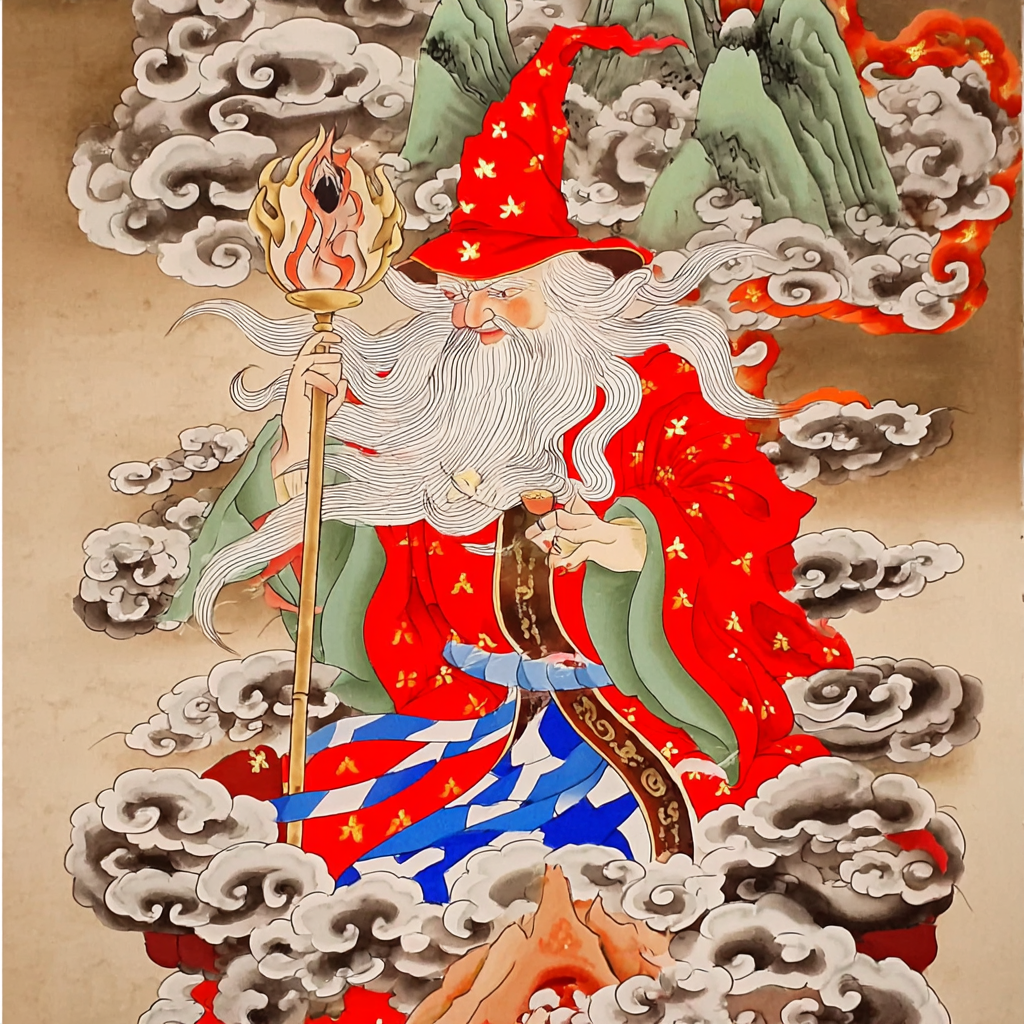
프롬프트: a wizard holding a glowing staff --sref 이미지 두개
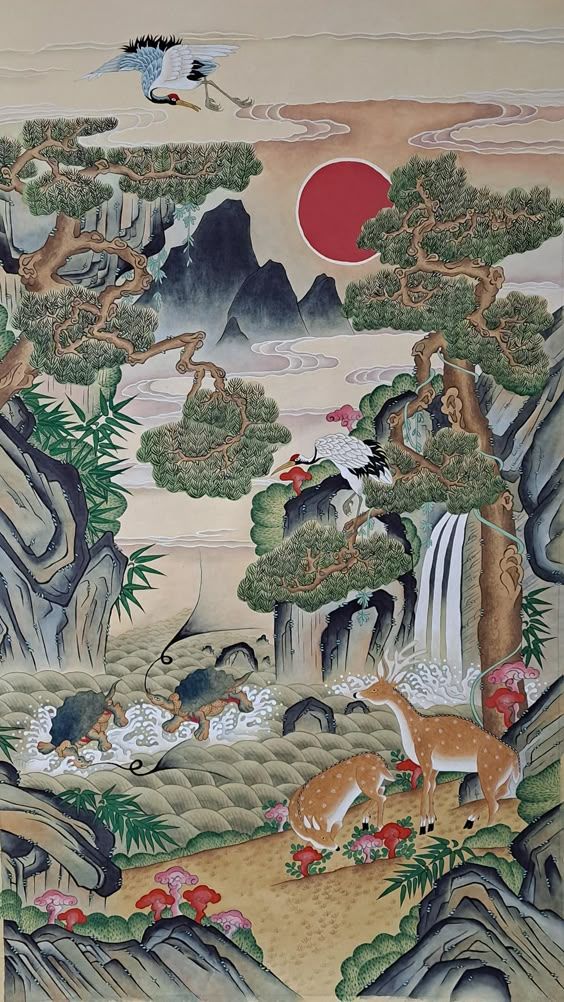
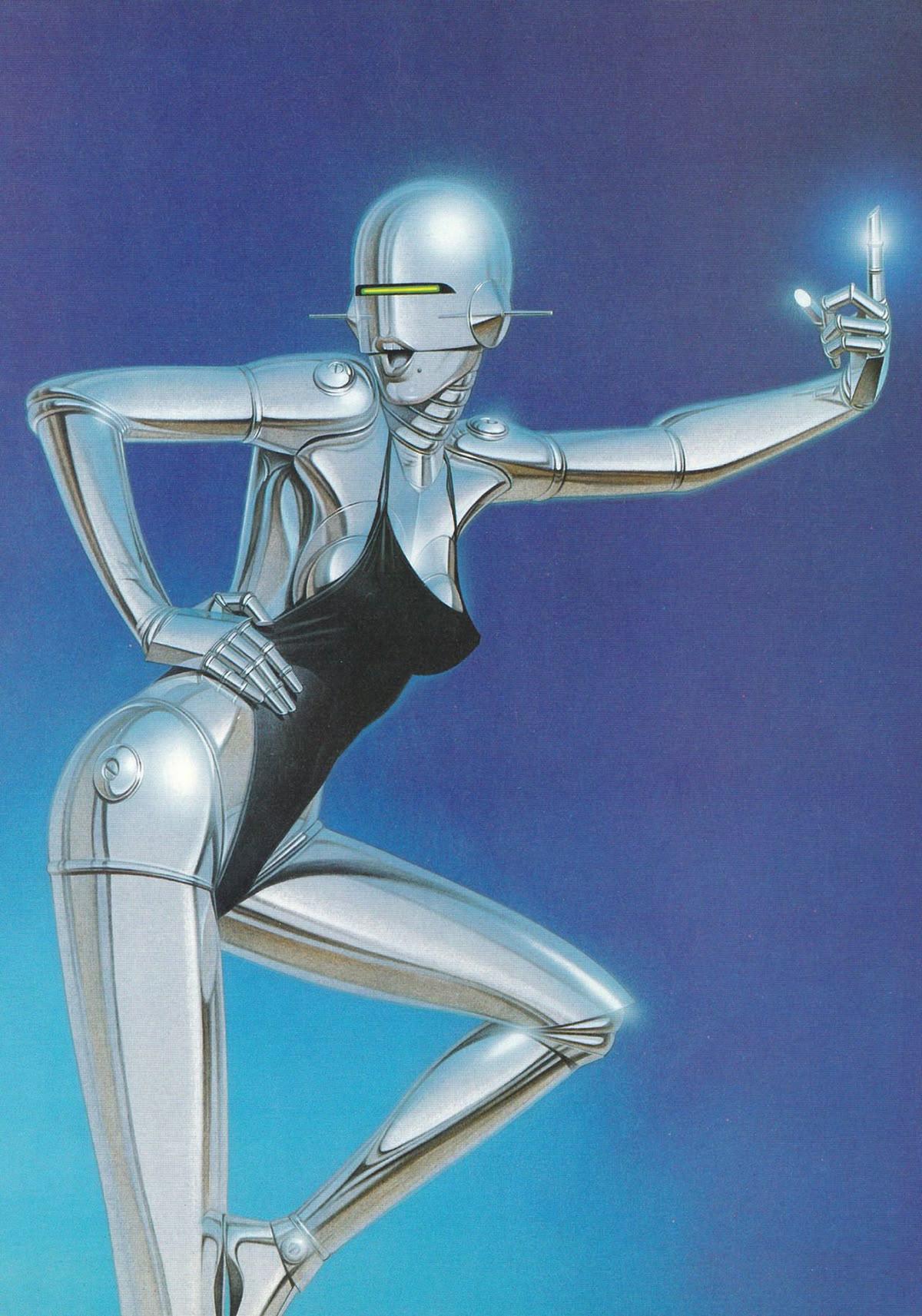

- 진짜 아예 다른 두 가지 스타일의 이미지를 넣어보았다. 나는 좀 사이버틱한 인물에 배경을 민화로 할 줄 알았는데, 좀 골고루 짬뽕된 것 같다. 두 번째 이미지는 특히 사이버 인물보단 파란 배경을 더 참고한 듯 보인다.
- 1번 이미지 참조: 연기 모양, 얼굴 그림체, 손 모양, 배경 색감
- 2번 이미지 참조: 옷 색깔과 질감, 막대의 빛나는 부분, 전반적인 그러데이션 톤
3. --sw
Style Weight
- 스타일 참조의 강도 조절. sref 와 연동하여 사용
- v 6 이상부터 사용 가능
- 기본값은 100, 범위는 0~1000
- 사용법: --sw 100 --sref url
[실습]
!! 위의 이미지를 사용
프롬프트: a wizard holding a glowing staff
1. --sw 1000 --sref 1번 이미지 2번 이미지
2. --sw 1000 --sref 1번 이미지
3. --sw 1000 --sref 2번 이미지


- 강도를 1000으로 했는데도 두 개를 같이 짬뽕한 이미지는 위와 크게 다르지 않다. 민화를 그림체적으로 반영하고 사이버를 색감으로 반영한 것도 유사하다.
- 각각의 이미지를 따로 참조하니 1000 만큼 참조한 게 티가 난다. 두 개의 그림이 아주 달라졌다.
- 스타일 참조도 아주 유사해서 그림체나 색감이 비슷한 것에 더해 구도도 비슷하다. 민화 할아버지는 중앙에 위치한 채 옆의 구름은 참조 이미지의 산맥 위치를 따온 것 같다. 사이버 할아버지는 왼쪽으로 치우쳐 서있는 채로 우측으로 좀 기울이고 있는 모양새가 아주 유사하다.
__
프롬프트: luxury designer brand fashion show --sw n --sref 1번 이미지

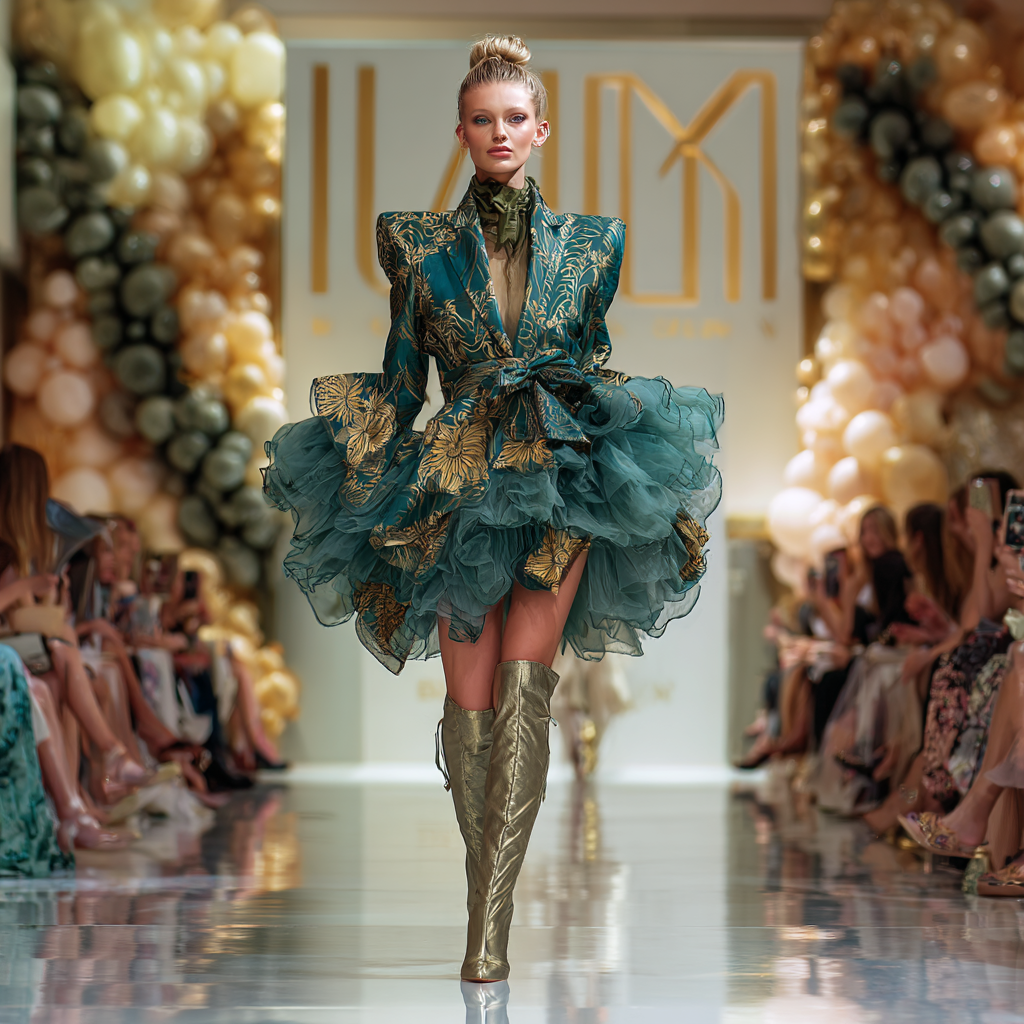
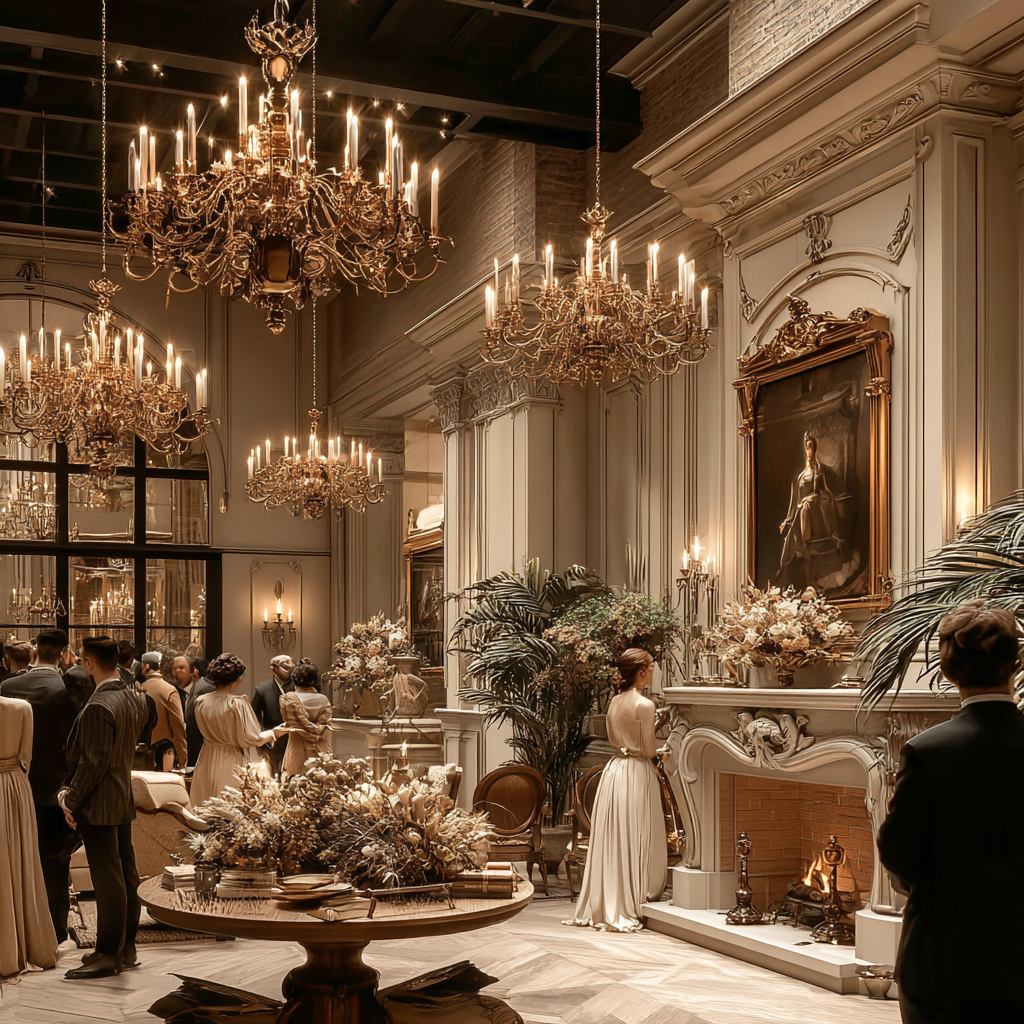


- 참조는 350부터 1000까지 강도가 무의미하게 잘 됐다.
- 350은 심지어 벽난로와 액자의 배치가 아주 똑같다. 1000은 가구보다는 전체 구도를 더 참고한 것 같다. 사실 강도별로 큰 차이를 모르겠다. 레퍼런스의 느낌이 너무 강렬해서 그런 걸까?
4. --cref
Character Reference
- 캐릭터의 표정, 포즈 등 참고. 캐릭터의 일관성 유지 가능. 하지만 완벽한 복제는 불가!!
- v 6 과 niji 6 에서 작동
- 사용법: --cref url
[실습]
프롬프트 1: cute anime, teenager girl having supernatural power, white background --ar 3:4 --niji 6
프롬프트 2: girl in the forest, full body --ar 3:4 --niji 6 --cref 1번 프롬프트
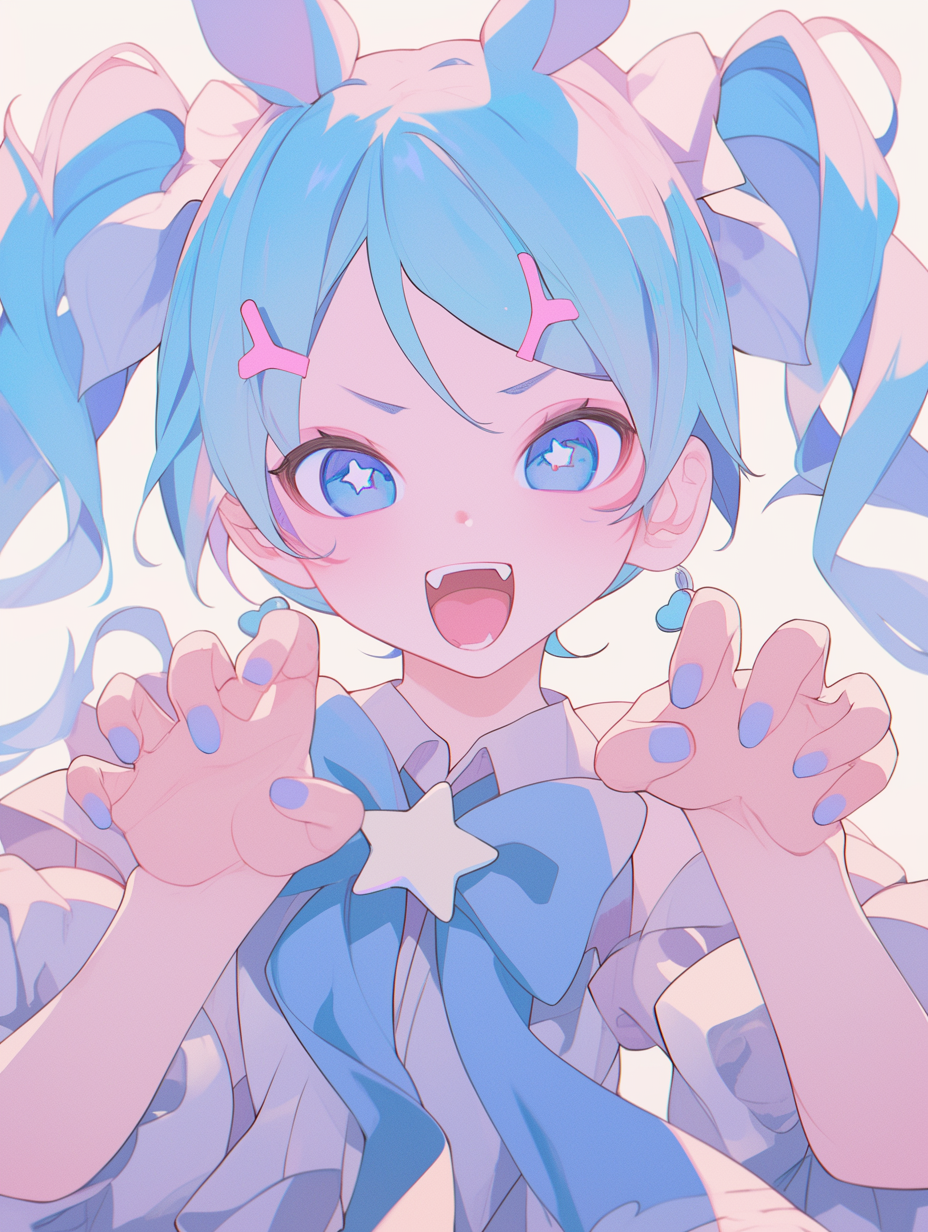
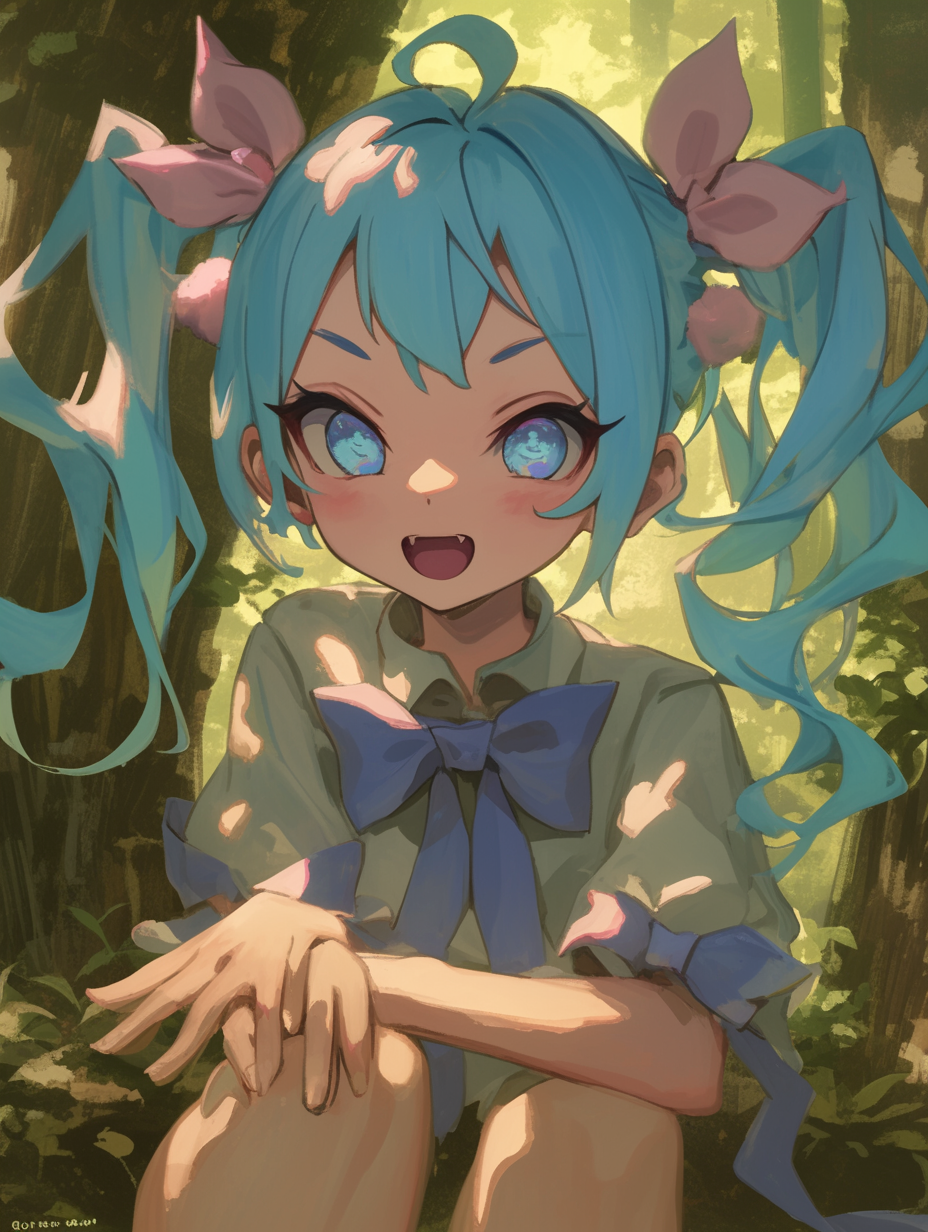
- 굉장히 유사하긴 한데! 마냥 똑같진 않다. 그래도 작게 보면 같은 캐릭터로 보인다.
- 2번에서 full body로 줬음에도 1번 이미지가 확대된 이미지라 그런지 2번에서도 전신을 보여주진 않았다. 대신 다리를 조금 그려줌,,
5. --cw
Character Weight
- 캐릭터 레퍼런스의 참조 강도. sw 와 동일
- 기본값은 100, 범위는 0~100 (기본값이 맥스임. 값이 작을수록 얼굴 정도만 반영. 커질수록 이외의 것들 반영)
- v 6 과 niji 6 에서 작동
- 사용법: --cw 100 --cref url
[실습]
프롬프트: girl at the school library, full body --ar 3:4 --niji 6 --cw n --cref 위의 첫 번째 이미지
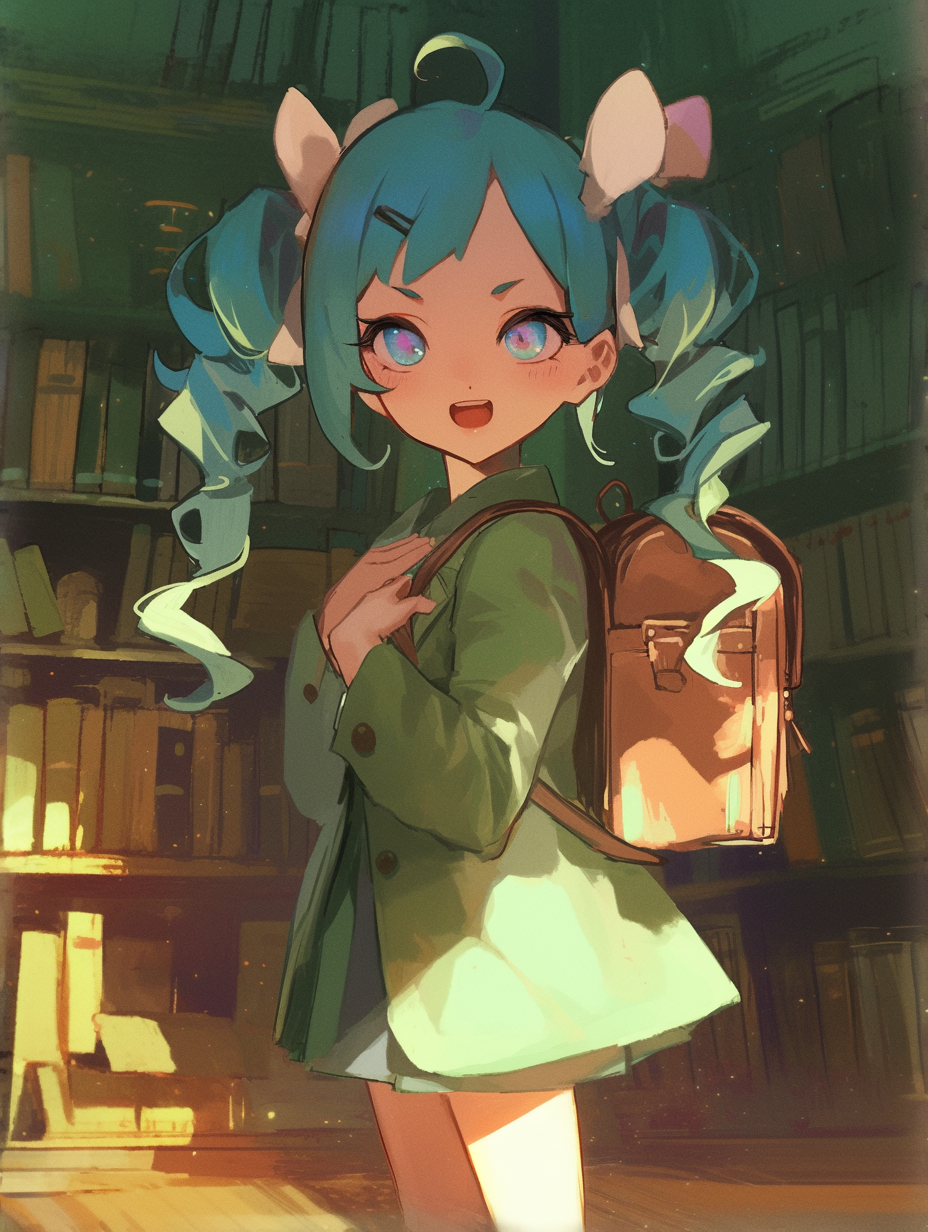
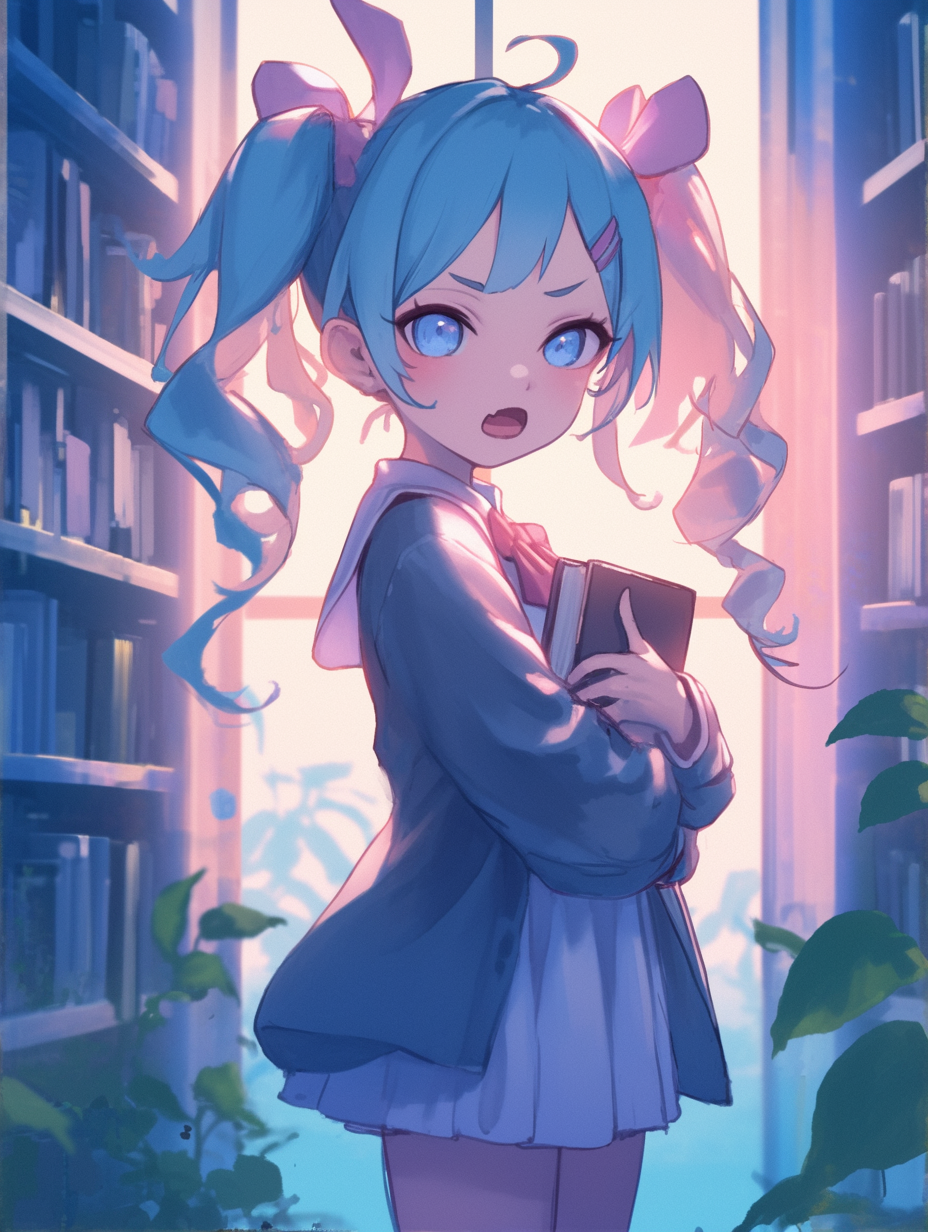


- 0은 옷이며 분위기, 라이팅이 아예 다르다. 얼굴만 유사한 수준
- 35부터 옷과 조명이 유사해지기 시작하면서 뒤로 갈수록 의복, 화사하고 은은한 조명, 파스텔톤, 머리 리본 등이 흡사해진다.
6. --tile
반복 패턴 제작할 때 사용. Seamless 패턴 제작 가능. 아무래도 인물이나 풍경보단 단순한 그래픽에 적합.
- v 5.0 이후부터 사용 가능.
- 사용법: --tile
[실습]
프롬프트: wallpaper, castle, princess, fairy tale, simple illustration --tile

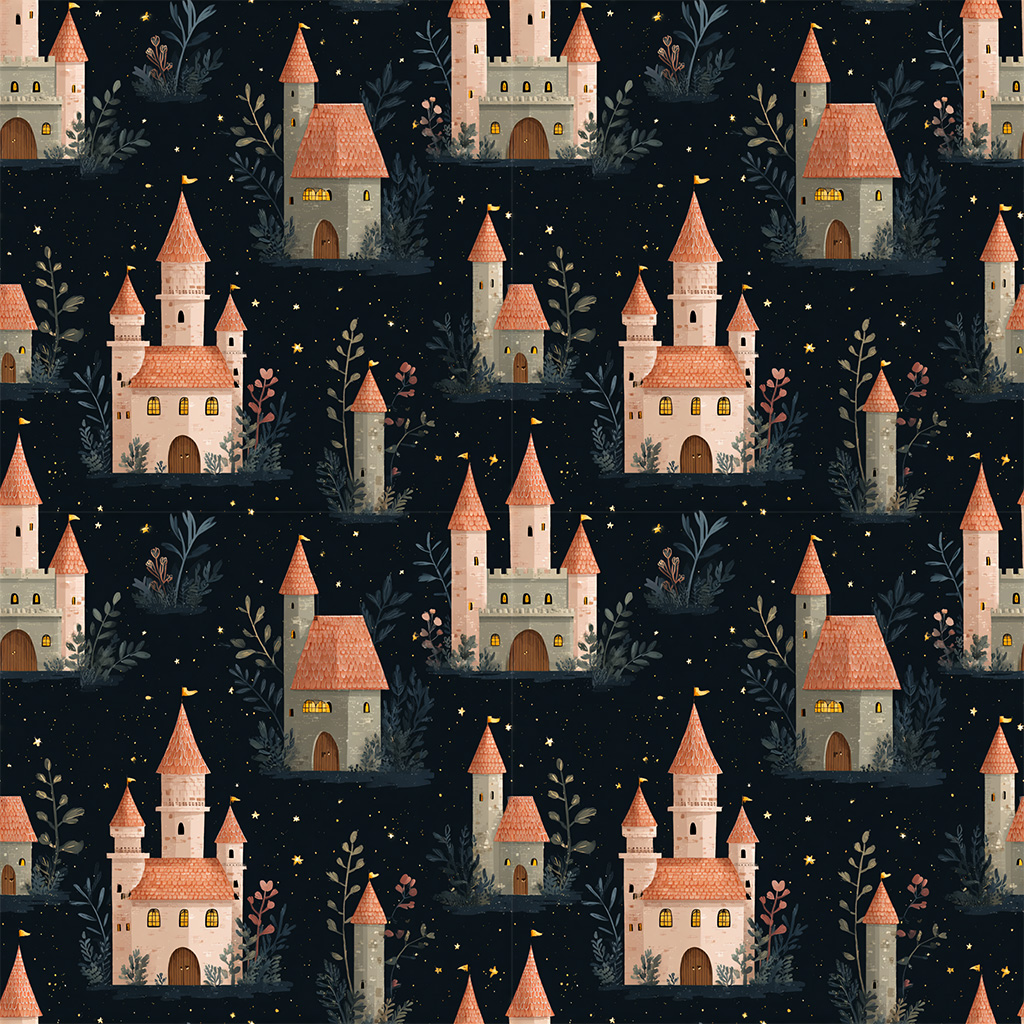
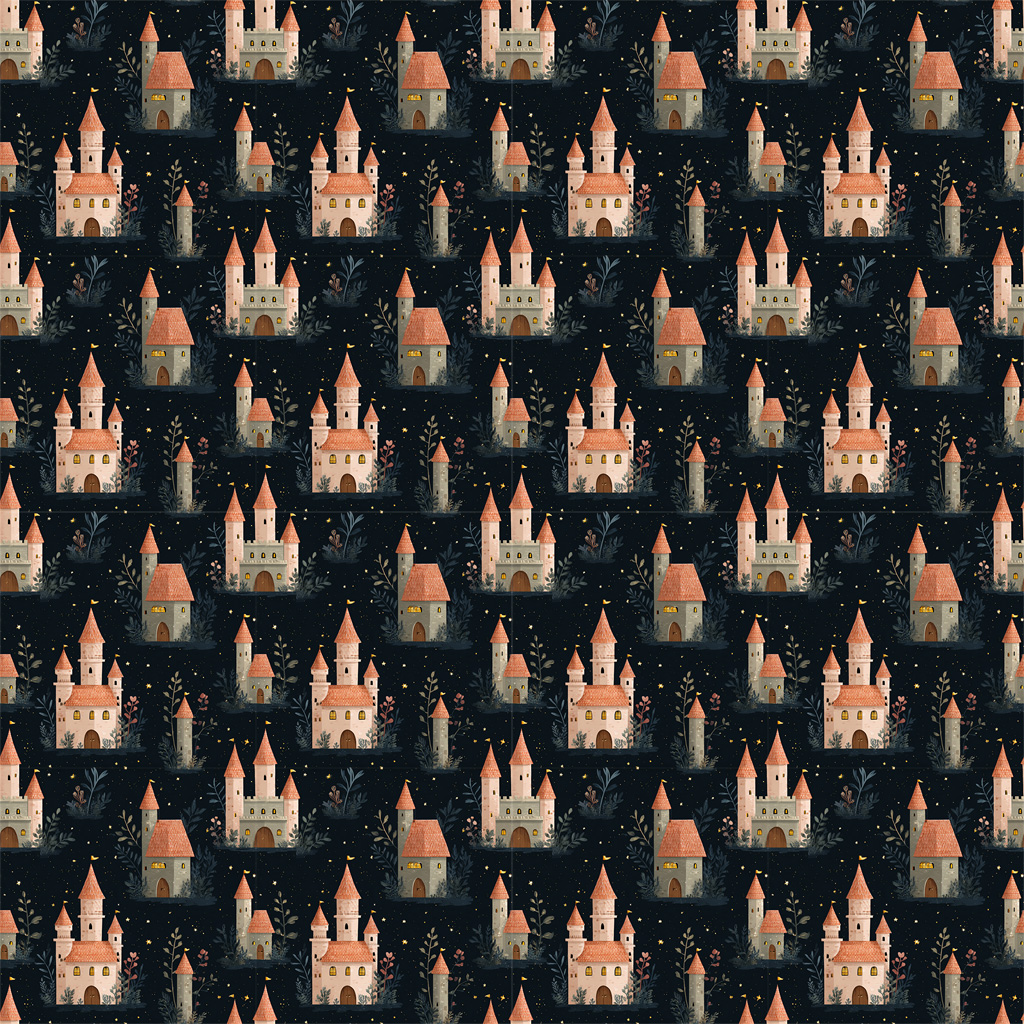
- 공주는 온데간데 사라졌지만 잘 이어 붙여진다!
프롬프트에 대해
1. 프롬프트 알아보기
- 미드저니는 단어와 구문을 토큰이라고 하는 작은 조각으로 분해하여 이해 ->단어형식으로 작성하기
- 미드저니 작동원리: 텍스트 분석 - 의미 매핑 - 이미지 합성 - 파라미터 적용
(Language Parsing - Semantic Mapping - Image Synthesis - Post Processing)
[실습]

- parrot이라는 프롬프트만 입력하여 4번 생성 후 6번 재생성하여 만들어진 40장의 앵무다.
- 압도적으로 금강앵무의 빈도가 높다. 가끔씩 일러스트 버전도 나오기도 하고 사람이나 꽃과 합성된 이미지도 나왔다.
- 맨 위 두 줄이 그냥 생성한 이미지이고 밑으로 갈수록 재생성한 이미지인데, 밑으로 갈수록 다양성이 높아진다. 재생성 버튼이 좀 더 다른 걸 다양하게 만들어줘 이런 의미일까?
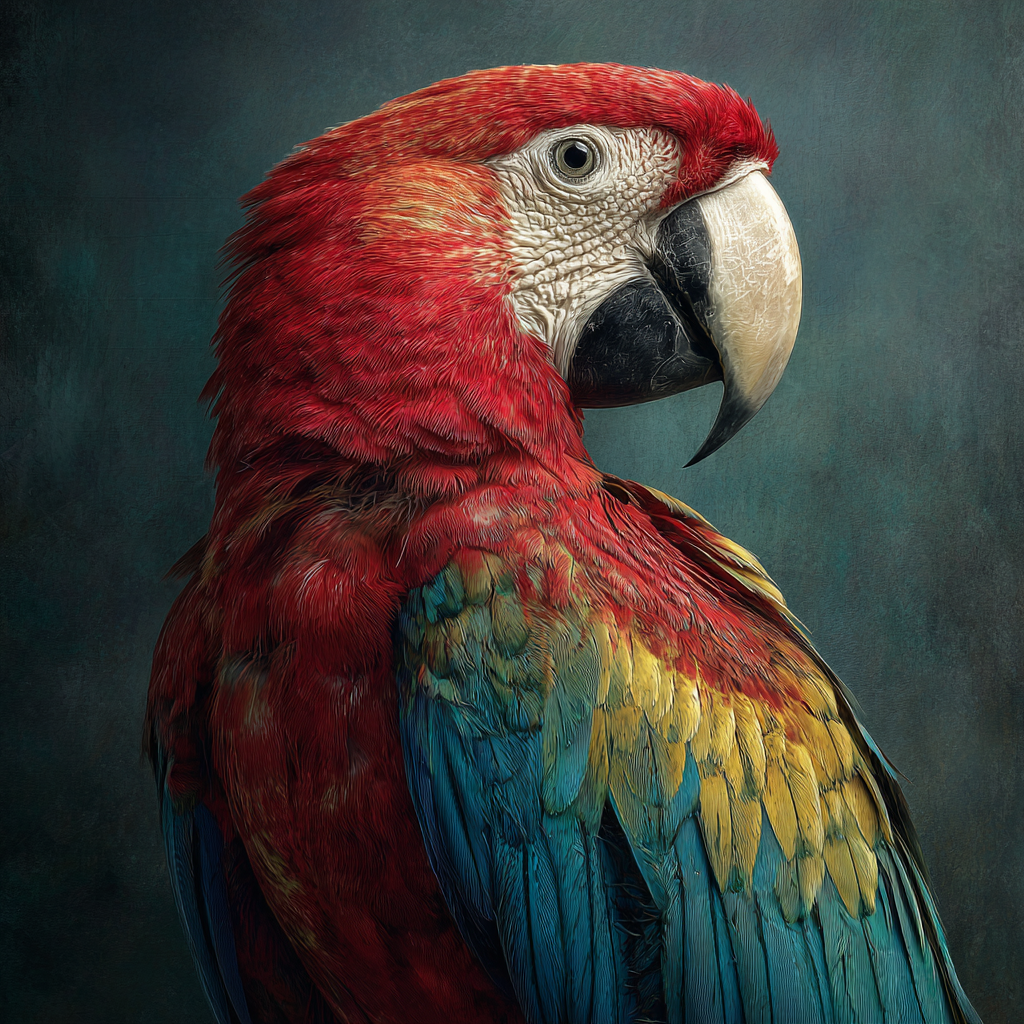
- 개인적으로 가장 마음에 드는 건 이거! 금강앵무의 정석 같이 생겼고 깔끔히 배치되었다.
- 지피티가 써준 프롬프트: ultra realistic portrait of a scarlet macaw, side profile, vibrant red feathers with blue and yellow wings, highly detailed feathers texture, sharp beak, studio lighting, dark textured background, shallow depth of field, 8k, photorealistic, dramatic lighting --ar 1:1 --v 6
2. 프롬프트 이해하기
[미드저니의 시각 언어]
- 미드저니는 고정관념이 있다. 위의 앵무처럼 많이 학습한 이미지를 위주로 내보냄
- 색만 입력하면 주로 여성 인물과 같이 나옴
[앵글 용어]
| 정면 | front view |
| 측면 정측면(90°) 반측면(45°) |
side view full side view }left, right 방향 지정 가능 half side view |
| 후면 | rear view, back side view |
| 위에서 본 시점(평면도) | top view, high/top angle, drown view |
| 아래에서 본 시점 | bottom view, low angle |
| 저각도 광각 | low wide angle |
[신체 부위 용어]
| 꽉 찬 얼굴 | extreme close up |
| 얼굴 | close up |
| 증면사진 | medium close up |
| 상체 | medium shot, upper body |
| 몸통만 | torso |
| 하체만 | lower body |
| 정수리~무릎 | meduim full shot |
| 전신 | full shot, full body, full lenght, long shot |
[프롬프트의 구성]
- Subject: 주제. 주된 이미지, 주로 명사. ex) 사람, 사물, 풍경 등
- Medium: 매체. 표현의 수단. ex) 사진, 그림, 회화, 공예 등
- Environment: 환경. 주제의 배경. ex) 실내, 실외, 도시, 물속 등
- Lighting: 조명. 주제를 담는 요소.
ex) ambient light(간접광), natural light, overcast(구름이 덮인, 약한 그림자), cinematic, lens flare, back light, neon light 등
- Color: 색상. 색상의 활기 등도 지정 가능. ex) vibrant, bright, monochromatic, pastel, muted(저채도) 등
- Mood: 분위기. 주로 형용사. ex) sedant(진정된), raucous(소란스러운), dynamic, majestic, cozy, dreamy 등
[기타 프롬프트 언어]
- 그래픽 스타일: 3d rendering, holography, pixel art, plat line drawing 등
- 사진 스타일: Landscape Photography, Astrophotography, Macro Photography, Portrait Photography 등
- 치트키: X-ray double exposure of ~, ASCII art, retrowave/synthwave(네온틱한 80년대 게임 이미지), freeze frame(셔터스피드 빠른 거), background motion blur 등
[실습]
마녀를 중심으로 프롬프트를 써보았다.
프롬프트
1. small town next to the sea, night, moon, moonlit landscape, photography
2. magic wand's sparkling trace, long exposure, night, photography
3. close up photography of young witch's eye, hyper-realistic, purple pupil
4. magic portal of young witch, inside a witch's room, twisted
5. forest, foggy, damp, mystical
6. witch's experimental glass, painted purplish light
7. secret place of a witch, hidden, soft blue ambient
8. craft pot of witch, volumetric lighting
9. witch flying in the sky, bokeh effect
10. super secret message, witch's sealing wax, low key lighting
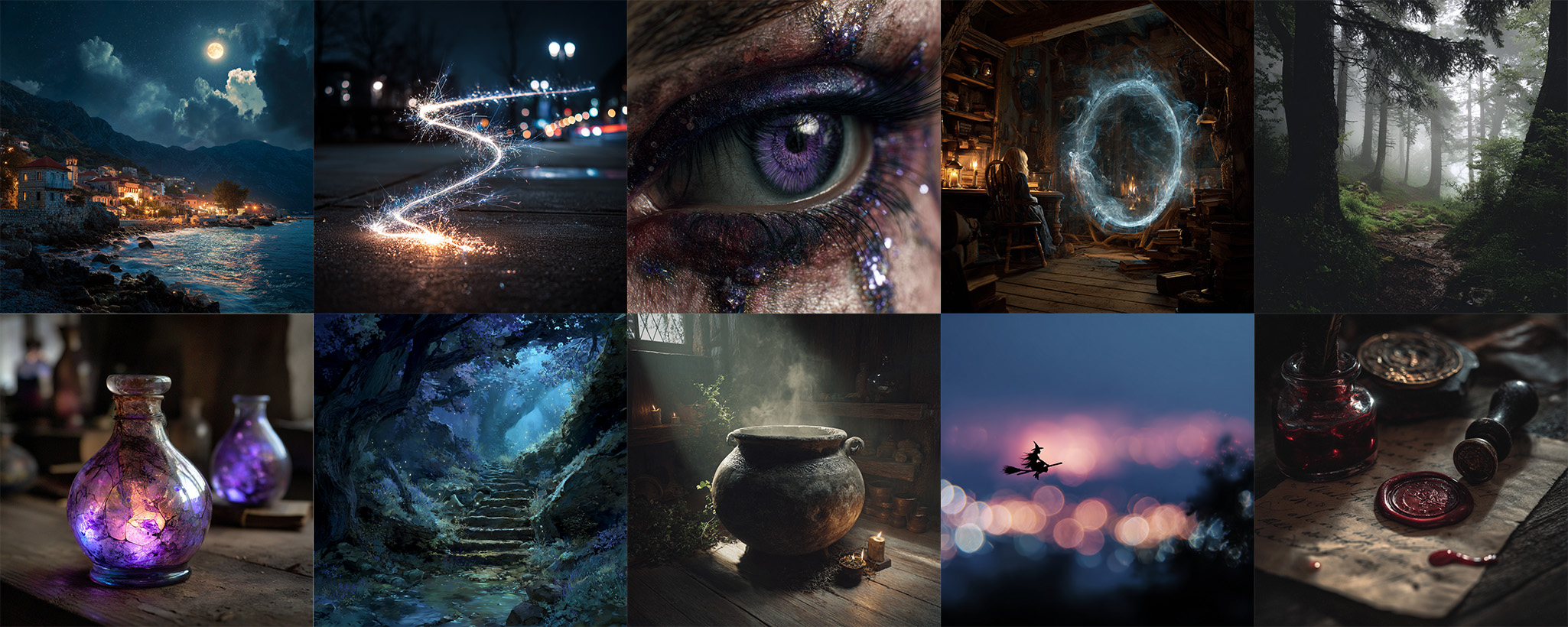
- 어둡고 보랏빛의 신비한 분위기가 전체적으로 통일되어 보인다.
3. 프롬프트 기본 문법
문장보다 키워드 중심으로 구성하기.
- 조사, 접속사 필요 없음
- create, draw 등의 동사 필요 없음
[기본 규칙]
- 영어로 작성
- 최소: 문자 1개, 이모지 1개
- 최대: v 5 50 단어, v 6 350 단어 (권장)
- 대소문자 구분 없음
- 특수 기호 동작 안 함 (파라미터 -- 같은 거 제외)
[권장 순서]
/imagine (매체 of 주제) (주제의 특성) (배경과 관계) (세부 배경 요소) (색감과 조명) (특정 스타일) (기술적 요소)
+
/imagine (prefix, 접두사) (scene, 장면) (suffix, 접미사) (parameters)
- 접두사: 이미지의 매체 설정
- 장면: 주요 장면 설정
- 접미사: 디테일, 분위기, 조명 등
- 파라미터: 구체적 설정
[실습]
제공된 이미지를 프롬프터 화하여 생성해 보기
프롬프터: realistic photography, a man crossing on a crosswalk watching phone, wearing black suit, backpack, high buildings and cars in the background, city, cars, mudium shot, sunset, sun's backlight, flare light, background blur a bit, bokeh of cars and traffic lights --ar 16:9 --raw
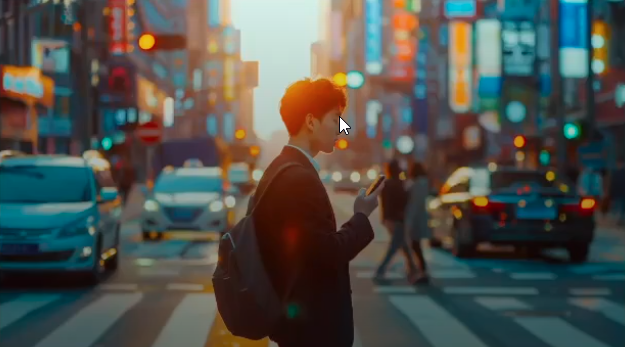

- 나름 좀 비슷한 거 같기도? 디테일하게 쓰되 순서도 나름 맞추어 쓰려 노력했다..
프롬프트 분석하기
1. 프롬프트 분석
다른 사람이 쓴 거 보고 익히기
- 추론 능력과 프롬프트 구성 능력 향상
[실습]
제공된 프롬프트: a beautiful digital illustration of an African American woman with medium black hair and light brown eyes she has red stripes on her face, a white wolf is next to the girl, background is in a grey color with geometric patterns, there is text that says ‘Wild Life’ in the style of the artist --ar 17:30 --niji 6

분석: ( beautiful )( digital illustration )( African American woman )( medium black hair )( light brown eyes )( red stripes on face )( white wolf next to the girl )( grey color background )( geometric patterns background )( text ‘Wild Life’ in artistic way )
| beautiful | O |
| digital illustration | O |
| African American woman | O |
| medium black hair | △ |
| light brown eyes | O |
| red stripes on her face | O |
| white wolf next to the girl | O |
| grey color background | O |
| geometric patterns background | O |
| text ‘Wild Life’ in artist style | △ |
- 머리색과 글자 빼고는 아주 잘 반영이 되었다!
- 근데 medium black 머리색은 내가 들어도 애매하다. 그냥 검은색으로 수정하면 될 듯하다.
- 글자는 artist style 인데 아티스트를 지정 안 해주어서 애매하게 나온 걸 수도 있겠다. 나는 artistic way 로 써봐야겠다.
수정한 프롬프트: beautiful digital illustration, African American woman, black hair, light brown eyes, red stripes on her face, a white wolf next to the girl, grey color background with geometric patterns, text ‘Wild Life’ in artistic way --ar 17:30 --niji 6
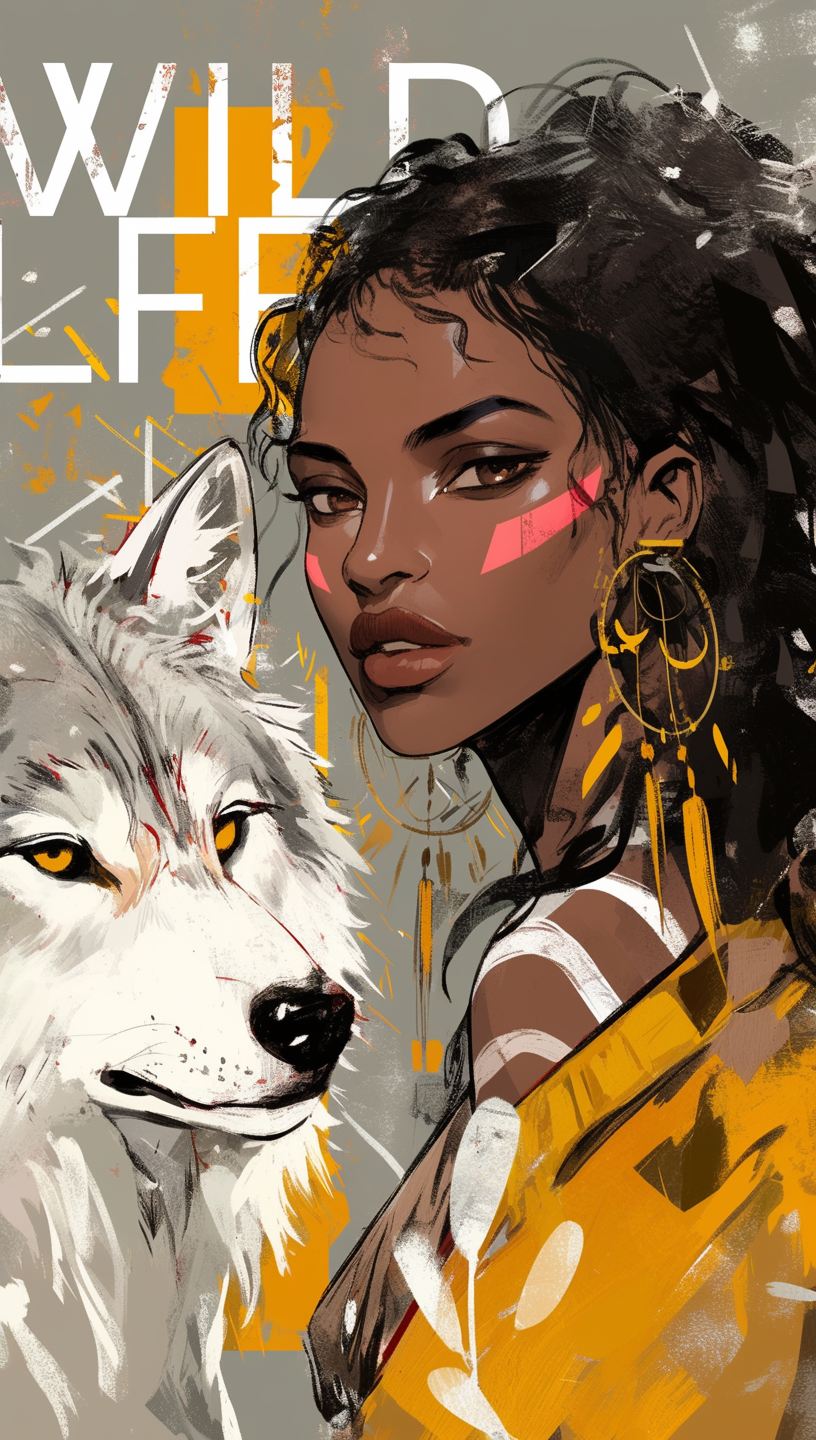
분석:
| beautiful digital illustration | O |
| African American woman | O |
| black hair | O |
| light brown eyes | O |
| red stripes on her face | O |
| white wolf next to the girl | O |
| grey color background | O |
| geometric patterns background | △ |
| text ‘Wild Life’ in artistic way | O |
- 머리색은 잘 반영이 되었지만! 글자에 비중이 쏠리면서 배경의 도형 요소가 좀 줄어들었다.
- 이미지를 개선하기 위해선 일단 글자를 빼야 할 것 같다. 대신 primal, untamed 라는 프롬프트를 넣어서 좀 분위기를 야생적으로 조성해 보면 어떨까?
- 비율도 살짝 줄이면 좋을 듯싶다.
- beautiful 과 digital illustration을 같이 썼더니 디지털 선화 느낌이 강조되었다. 사이에 콤마를 써봐야겠다.
- 늑대가 회색빛이 도니까 snow white 라고 강조해 주겠다.
수정한 프롬프트: beautiful, digital illustration, African American woman, black hair, light brown eyes, red stripes on her face, a snow white wolf next to the girl, primal, untamed, grey color background with geometric patterns --ar 2:3 --niji 6
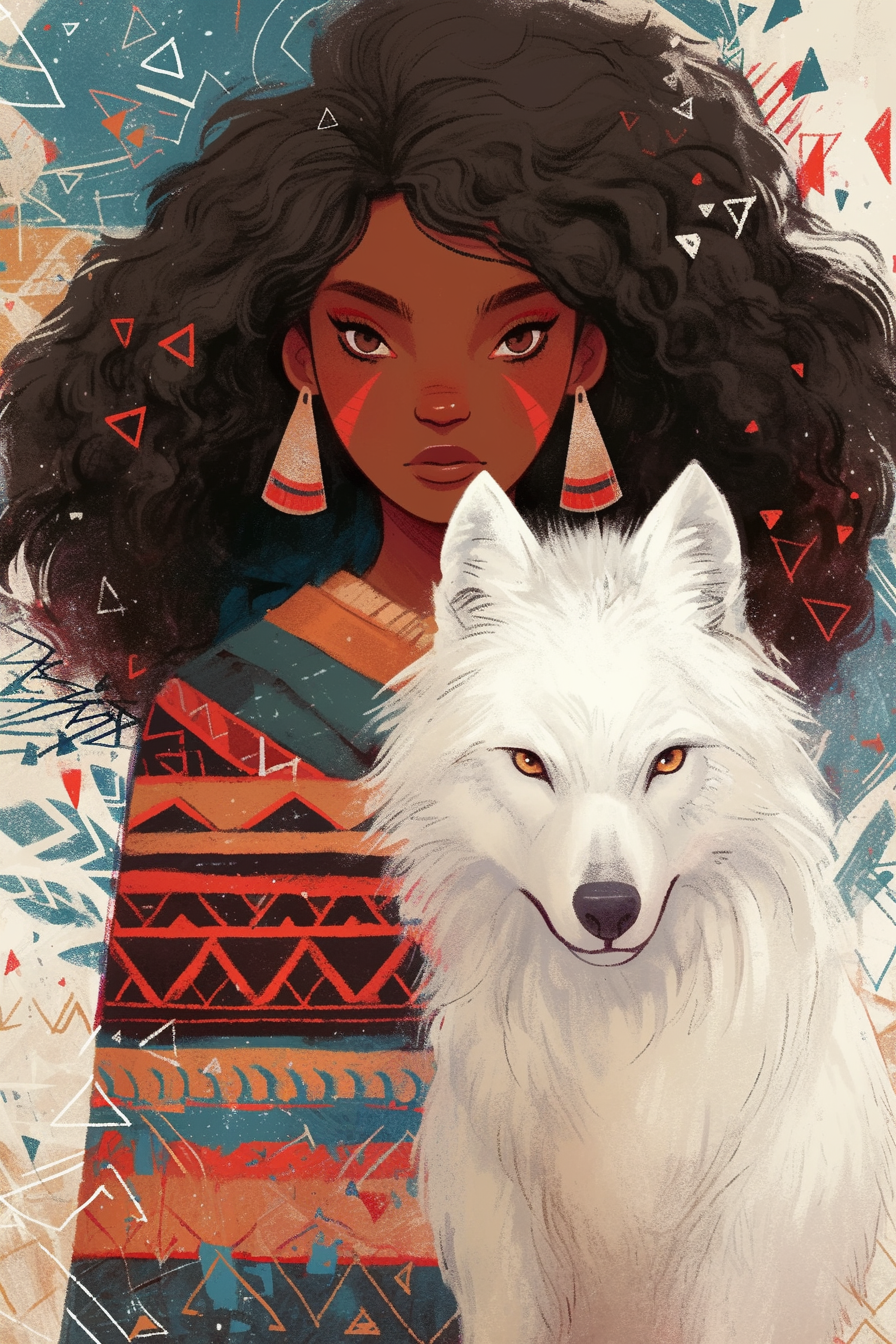
분석:
| beautiful | O |
| digital illustration | O |
| African American woman | O |
| black hair | O |
| light brown eyes | O |
| red stripes on her face | O |
| snow white wolf next to the girl | O |
| primal | O |
| unmated | O |
| grey color background | O |
| geometric patterns background | O |
- 모든 게 잘 반영이 되었다! 풍기는 분위기 또한 마음에 든다.
__
제공된 프롬프트: a hyper-realistic shot of a teenage Korean girl lounging on her bed, her messy hair and casual thin short sleeve t-shirt adding to the natural feel, her eyes are locked on the glowing smartphone screen in her hands, her expression a mix of focus and subtle amusement, as if lost in the digital world, the soft light from the phone highlights her face, contrasting with them dimly lit room and blurred details in the background, a small clock on the nightstand shows 2:00 am, blending seamlessly with the calm, late-night atmosphere --ar 16:9
분석: ( hyper-realistic shot )( teenage Korean girl )( lounging on her bed )( messy hair )( casual thin short sleeve t-shirt )( natural feel )( her eyes are locked on the glowing smartphone screen in her hands )( expression a mix of focus and subtle amusement )( as if lost in the digital world )( the soft light from the phone highlights her face )( contrasting with them dimly lit room and blurred details in the background )( a small clock on the nightstand shows 2:00 am )( blending seamlessly with the calm )( late-night atmosphere )
| hyper-realistic shot | O |
| teenage Korean girl | △ |
| lounging on her bed | O |
| messy hair | O |
| casual thin short sleeve t-shirt | O |
| natural feel | O |
| her eyes are locked on the glowing smartphone screen in her hands | △ |
| expression a mix of focus and subtle amusement | △ |
| as if lost in the digital world | △ |
| the soft light from the phone highlights her face | O |
| contrasting with them dimly lit room and blurred details in the background | O |
| a small clock on the nightstand shows 2:00 am | O |
| blending seamlessly with the calm | O |
| late-night atmosphere | O |
- 눈에 초점이 나가 있어서 스마트폰에 빠져 있다는 설정이 다 지켜지지 않았다. 생성된 나머지 3장 중 1장만이 스마트폰을 바라보고 있었다. 문장이 너무 길고 여러 문장에 걸쳐 있어서 그런 것 같기도?
- 하이퍼 리얼리스틱이긴 한데 일러스트나 3d 모델처럼 생성된 경우도 많았다. photography를 넣어야 할 것 같다.
- 십 대이긴 한데 20대로도 보여서 연령대를 확실히 해주면 좋을 듯
- 필요 없는 말들 좀 빼야 할 것 같다.
수정한 프롬프트: hyper-realistic photography, a mid-teen Korean girl lounging on bed staring at the smartphone screen, subtle amusement on face, messy hair, wearing casual thin short sleeve shirt, natural feel, soft light from the phone highlights the face, a small clock on the nightstand shows 2:00 am, dimly lit room and blurred details in the background, calm, late-night atmosphere --ar 16:9
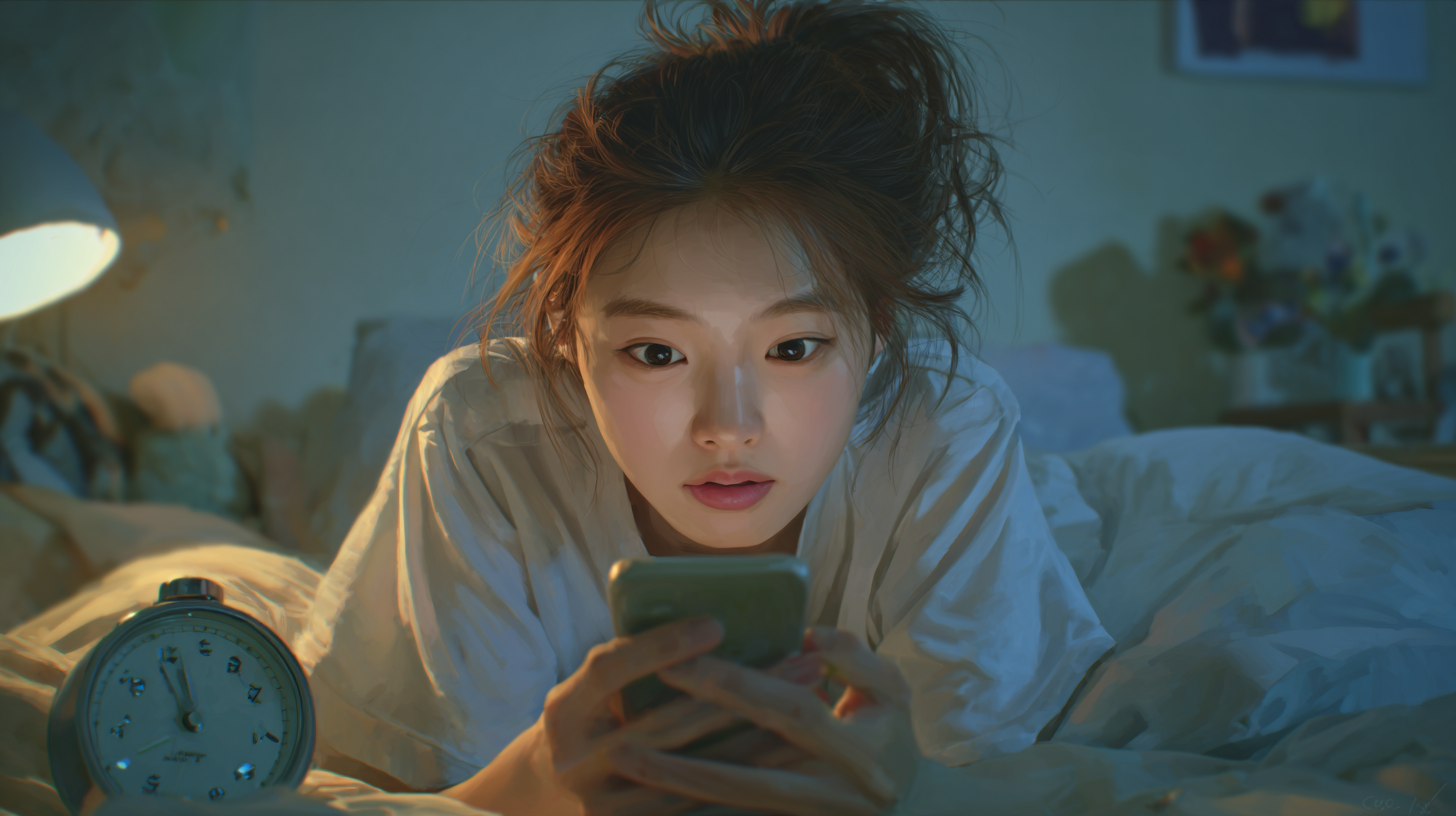
분석:
| hyper-realistic photography | △ |
| mid-teen Korean girl | O |
| lounging on bed | O |
| staring at the smartphone screen | O |
| subtle amusement on face | O |
| messy hair | O |
| casual thin short sleeve shirt | O |
| natural feel | O |
| soft light from the phone highlights the face | O |
| a small clock on the nightstand shows 2:00 am | △ |
| dimly lit room and blurred details in the background | O |
| calm | O |
| late-night atmosphere | O |
- 이럴 수가 또 일러스트 느낌 붓터치가 보인다! 아무래도 hyper-realistic이 잘 안 통하는 듯. raw 써야겠다.
- 스마트폰 보는 부분을 완전 간소화했더니 잘 보고 있다. 표정도 놀라면서 집중하는 느낌이 잘 표현되었다.
- 대비감이 좀 약해진 게 아쉬워서 contrasting 을 다시 넣어봐야겠다.
- 아무리 봐도 시계는 필요가 없으니 빼야 할듯하다.
- 나이대가 조금 더 10대 같아졌다.
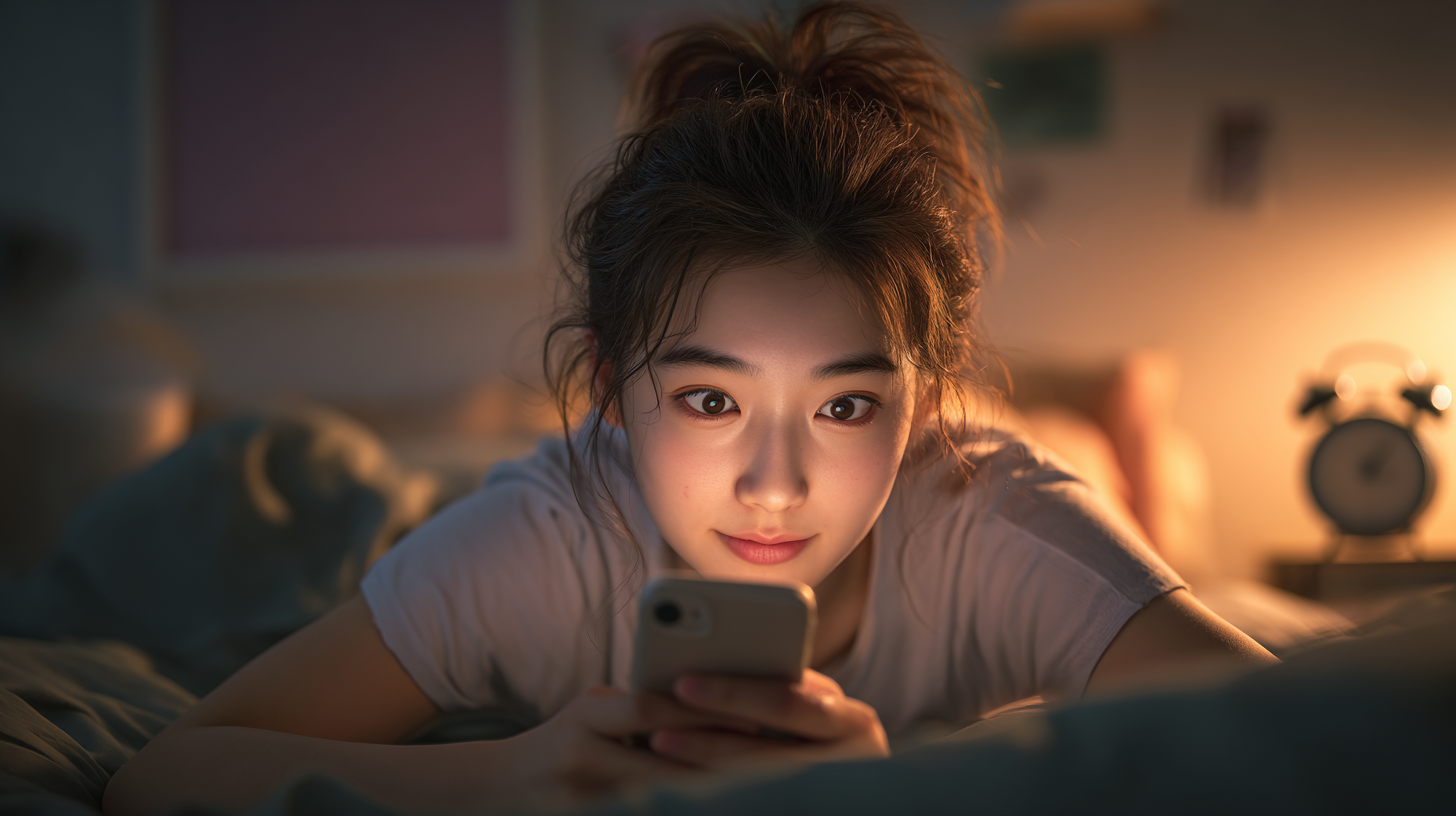
수정한 프롬프트: hyper-realistic photography, a mid-teen Korean girl lounging on bed staring at the smartphone screen, subtle amusement on face, messy hair, wearing casual thin short sleeve shirt, natural feel, soft light from the phone highlights the face contrasting with dimly lit room, blurred details in the background, calm, late-night atmosphere --ar 16:9 --raw
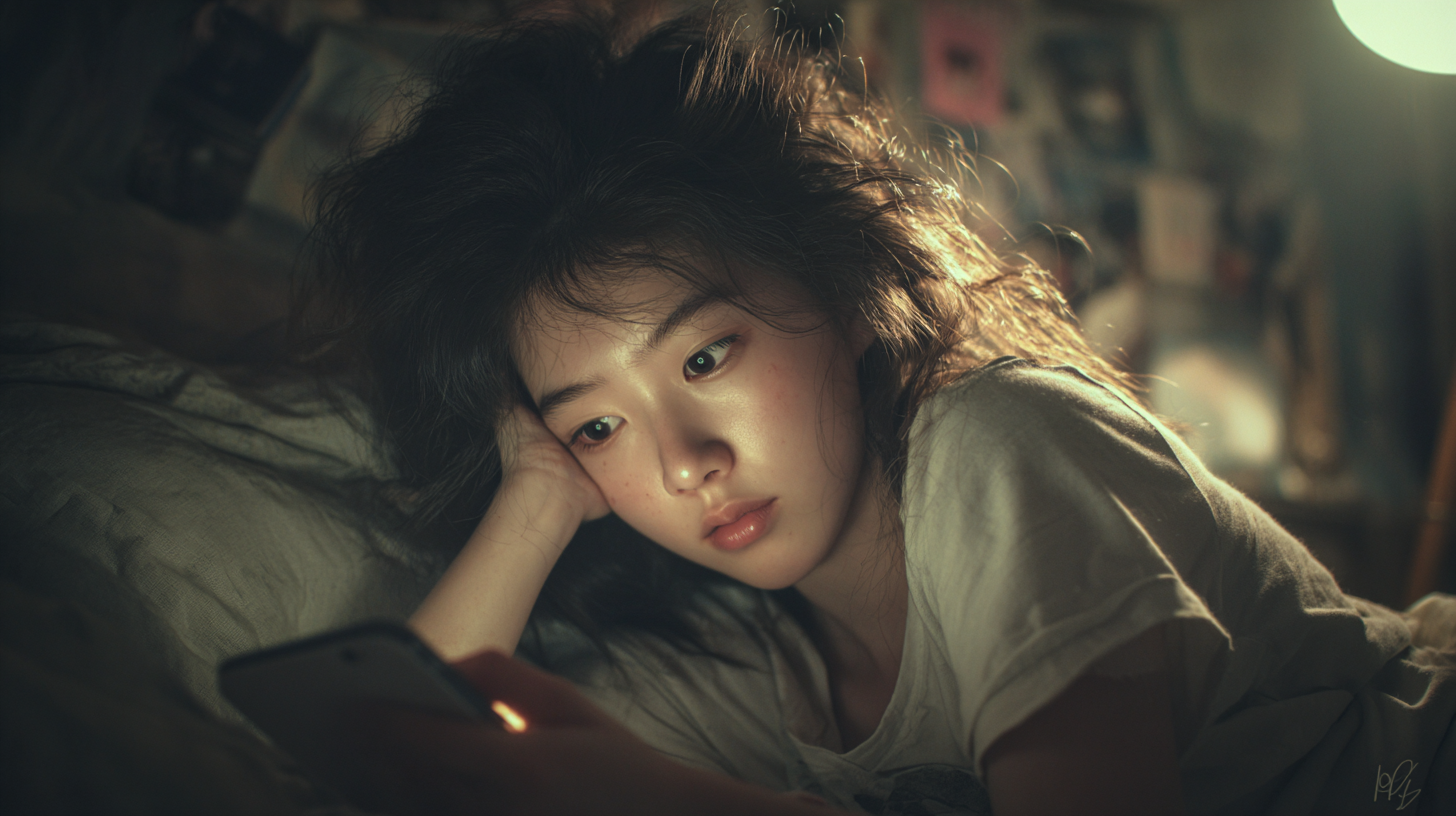
| hyper- realistic photography | O |
| mid-teen Korean girl | O |
| lounging on bed | O |
| staring at the smartphone screen | O |
| subtle amusement on face | O |
| messy hair | O |
| casual thin short sleeve shirt | O |
| natural feel | O |
| soft light from the phone highlights the face | O |
| contrasting with dimly lit room | O |
| blurred details in the background | O |
| calm | O |
| late-night atmosphere | O |
- 사진같이 잘 나왔다! 다행~
- 나머지들도 잘 유지된 채 조명도 예쁘게 나왔다. 마음에 든다~
2. /describe
이미지를 해석하는 사고 훈련 도구. 사용자가 업로드한 이미지에 대해 미드저니가 4개의 텍스트 프롬프트로 재해석해줌.
- 프롬프트 언어 학습 가능
- 레퍼런스 이미지의 텍스트화
- 놀라운 이미지 분석력
[활용법]
- 프롬프트를 발굴하여 재조합 후 응용
- 다양한 프롬프트를 수집하여 학습용 자료 만들기, 스타일 템플릿 구축
- 결과를 파라미터 추가 및 프롬프트 변형 등 다양한 방식으로 발전.
[실습]
원하는 이미지를 미드저니에게 describe 하게 한 후 다시 생성해 보기

미드저니의 describe
| 1 | isometric illustration of paris, with the eiffel tower in the middle, surrounded by pyramid-shaped buildings and other structures, along with greenery, on a beige background. 3d render, in a cartoon style with a simple design. isometric, emotive graphic design, high resolution, isomorphic, high detail, sharp focus, bright colors, on a white background, and colorful. |
| 2 | isometric illustration of paris, with a flat design, soft colors, and minimal details. the illustration features simple shapes and cute illustrations against a white background, presented as a 3d render. |
| 3 | 3d isometric illustration of paris, in a flat design style with pastel colors and minimal details. the scene includes the eiffel tower surrounded by iconic parisian buildings like the petit palais and the grand palais. there's also an architectural building with blue roof tiles and large windows. in front, there's a car driving on the street with trees around it. at its center stands the louvre museum. above them, you can see clouds in the sky. it has an overall cheerful atmosphere. |
| 4 | 3d isometric illustration of paris, flat vector design, minimalistic style, detailed, flat color background, simple shapes, red eiffel tower in the middle, highly textured and detailed illustrations. |
결과
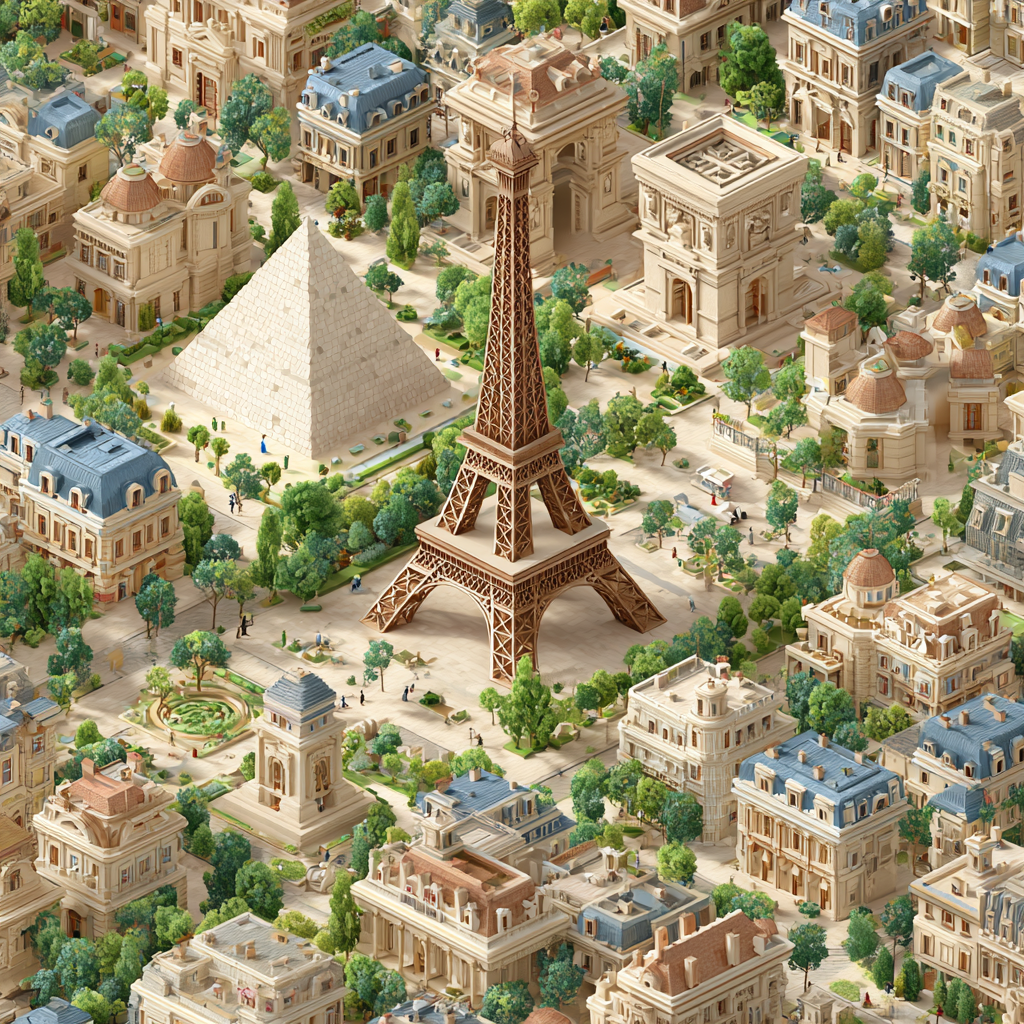


- 1번은 high 한 해상도와 디테일들을 과하게 요구해서 진짜 세세한 디자인이 있는 이미지가 나왔다. 그리고 루브르 박물관을 그냥 피라미드 형태의 건물이라고 묘사해 놔서 진짜 피라미드가 생겼다.
- 2번 이미지는 나름 비슷하게 생성이 되었다. 아무런 지시사항이 없었는데 알아서 카드모양 땅에 건물을 세웠다. 소프트 컬러=파스텔 핑크로 출력한 듯 보인다.
- 3번 이미지도 상당히 유사하다. 구체적인 건물들의 생김새와 자동차 등을 프롬프트에 넣어 건물들이 비슷하다. 우연의 일치로 배경 색도 비슷하게 나왔다.
- 4번은 디테일한 일러스트를 요구해서 선화가 나와버렸다. 분명 3d라고 명시해 두어서 3d이기는 한데, flat vector 와 일러스트의 콤보가 선화 느낌을 더 내게 한 듯 싶다.
- 수정사항: 2번 프롬프트 채택. 더 심플한 아웃풋을 위해 몇 단어 추가하기, 톤을 파스텔 톤으로, 여백이 많게, 구체적인 건물명 언급, 카드 모양 땅 설정
수정 프롬프트: 3d cartoon toy-like render, isometric illustration of paris city view, Eiffel Tower and Louvre Pyramid, road and cars, on a card shaped ground, flat and simple design, pastel colors, minimal details, simple shapes and cute illustrations against a beige background

- 발전은 어렵다! 어떤 식으로 해야 할지 모르겠어서 원본과 비슷한 방향으로 가도록 만져준 건데, 원본~2번~3번 모두가 섞인 느낌이다.
3. 이미지 프롬프트
프롬프트 앞쪽에 이미지를 추가하여 해당 스타일 등을 반영하게 함. 레퍼런스 제시용.
- 사용법: /imagine imageURL1 imageURL2 ··· prompt
[sref 와 비교]
| 이미지 프롬프트 | --sref | |
| 역할 | 스타일+구성+색감 모두 영향 | 스타일만 영향 |
| 이미지 영향력 | --iw 로 조절 | --sw 로 조절 |
| 반영 방식 | 이미지를 기반으로 새로운 이미지 생성 | 스타일만 따와서 덧붙이기 |
| 사용 시점 | 구체적인 창작의 기반이 필요할 때 | 일관된 스타일 유지가 필요할 때 |
[--iw]
- 기본값: 1.0
- 범위: 0.0~2.5
- 낮을수록 이미지 영향 안 받음, 텍스트만 신경 씀. 높을수록 이미지 스타일이 텍스트 프롬프트보다 우선시 됨.
4. 다중 프롬프트
텍스트 간의 균형조절을 가능하게 함. 어떤 걸 강조하고 싶을 때 좋음. 상반된 컨셉을 결합할 때도 사용.
- 텍스트 프롬프트를 :: ← 이 기호로 구분하여 각각의 비중을 조절함
- 사용법: [프롬프트1]::[가중치] [프롬프트2]::[가중치] >> ::할 때 스페이스바 없음!!
- 가중치: 상대적. 합이 1이 아니어도 됨. 소수점 사용 가능. 생략 시 1로 간주
- v 7에서는 지원 안 함.
- 가끔 어떤 건 무시함
5. 미드저니 사용 방향
- 빠른 시안 제작, 컨셉 스케치, 무드보드 개발: 디자인 워크플로우에 사용
- 자신만의 스타일 구축: 나만의 레퍼런스, 다시 ai에게 적용 가능
- AI와 협업: 독립적인 디자인 사고력과 디렉팅 능력 향상
역시 뭐든.. 깊게 배우면 어렵다.,... 어제보다 힘들었다악! 미드저니 다루기 참 어렵다. 내일부터 개인 과제인데 두렵다~
'내일배움캠프' 카테고리의 다른 글
| [TIL] Day10_미드저니4 (0) | 2026.03.20 |
|---|---|
| [TIL] Day9_미드저니3 (0) | 2026.03.19 |
| [TIL] Day7_미드저니1 (0) | 2026.03.17 |
| [TIL] Day6_포토샵 기초3 (0) | 2026.03.16 |
| [TIL] Day5_포토샵 기초2 (0) | 2026.03.13 |